
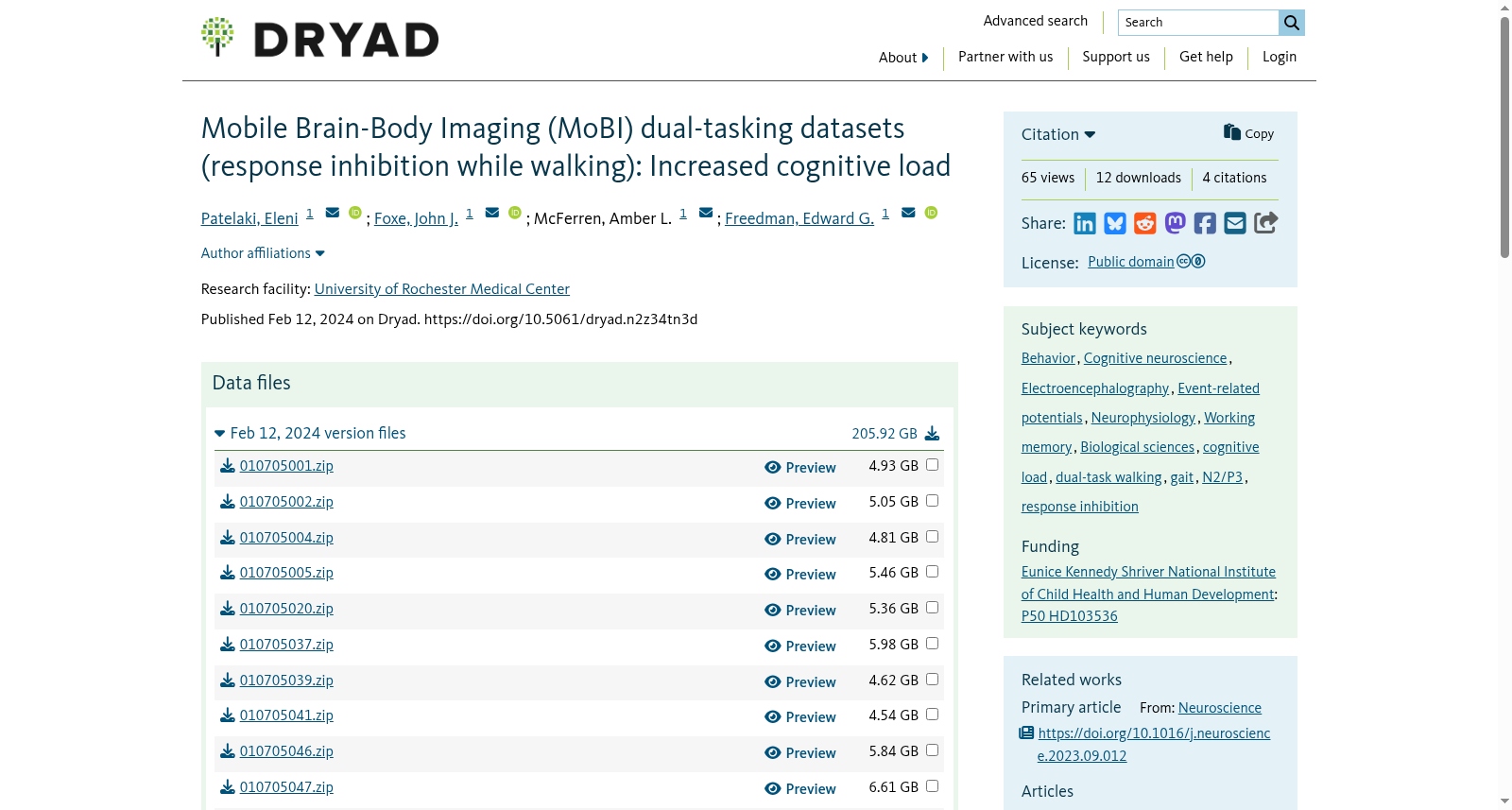
Mobile Brain-Body Imaging (MoBI) dual-tasking datasets (response inhibition while walking): Increased cognitive load
收藏Mendeley Data2024-04-13 更新2024-06-28 收录
下载链接:
https://datadryad.org/stash/dataset/doi:10.5061/dryad.n2z34tn3d
下载链接
链接失效反馈官方服务:
资源简介:
# Title of Dataset Mobile Brain-Body Imaging (MoBI) dual-tasking datasets (response inhibition while walking): Increased cognitive load ## Description of the data and file structure This Drayd dataset contains multimodal MoBI data, collected from young adults while performing the 2-back Go/NoGo response inhibition task and concurrently walking on a treadmill. The data is organized as follows: ``` |-- 010705001 | |-- LSLData | | |-- 010705001_1.mat | | |-- 010705001_2.mat | |-- Logfiles_Raw | | |-- GoNoGo_010705001_1.txt | | |-- GoNoGo_010705001_2.txt | | |-- mainExperScript_010705001_1.txt | | |-- mainExperScript_010705001_2.txt | | |-- motion_state_010705001_1.txt | | |-- motion_state_010705001_2.txt | | |-- Training_GoNoGo_010705001_1.txt | | |-- Training_GoNoGo_010705001_2.txt | |-- Logfiles_Processed | | |-- GoNoGo_010705001_processed.txt | | |-- mainExperScript_010705001_processed.txt | |-- EEGstruct_Raw | | |-- 010705001.set | | |-- 010705001.fdt |-- 010705002 | |-- LSLData | | |-- 010705002.mat | |-- Logfiles_Raw | | |-- GoNoGo_010705002.txt | | |-- mainExperScript_010705002.txt | | |-- motion_state_010705002.txt | | |-- Training_GoNoGo_010705002.txt | |-- Logfiles_Processed | | |-- GoNoGo_010705002_processed.txt | | |-- mainExperScript_010705002_processed.txt | |-- EEGstruct_Raw | | |-- 010705002.set | | |-- 010705002.fdt |-- ... |-- ... |-- ... |-- metadata.xlsx ``` ### Notes: #### About the LSLData folder: The `.mat` file in this folder contains a cell array with the 3 synchronized datastreams (EEG, motion capture, behavioral responses) along with metadata. Each cell of the array contains a different datastream. In case the Presentation scenario had to be terminated before its completion (e.g. the participant wanted to take a restroom break), then a new scenario was launched after the break to complete the required number of task blocks. In those cases, two separate `.mat` files occurred: one containing the recording before the break (e.g. `010705001_1.mat`) and another containing the recording after the break (eg. `010705001_2.mat`). #### About the Logfiles\_Raw folder: * The `GoNoGo_{participantID}.txt` is a manually created logfile containing the following information about the images presented during the Go/NoGo task (each row corresponds to one image): * Column **Block**: contains the block number during which the image was presented * Column **Trial**: contains the trial number during which the imagee was presented * Column **Image**: contains the IAPS code of the presented image * Column **RespTime**: contains the response time to the presented image * Column **MotState**: contains `sitting` if the block was a sitting block, and `walking` if the block was a walking block * Column **Button**: contains `1` if a valid button press was recorded in response to the image, and `0` if no valid button press was recorded. * The `Training_GoNoGo_{participantID}.txt` is a manually created logfile containing the same information as the `GoNoGo_{participantID}.txt`, but only for the training block. Note that this data was not analyzed the in the paper--it only serves to assess how well the participant understands the task, before they start with the actual experiment. * The `motion_state_{participantID}.txt` is a manually created logfile containing the order in which sitting and walking blocks were performed. IMPORTANT: this is the final/correct sequence of walking/sitting -- if the walking/sitting sequence in the `GoNoGo_{participantID}.txt` is different, then it must change to align with this one. The reason why those two sequences are different for some participants between the two logfiles is because the walking/sitting sequence that had initially been planned for them (`GoNoGo_{participantID}.txt`) had to change on the fly, for example because they were tired and requested to do more sitting and leave walking for later. * The `mainExperScript_{participantID}.txt` is an logfile automatically generated by Presentation after the completion of each experimental scenario run. The information is organized in the following columns: * Column **Trial**: incremental trial number * Column **Event Type**: it can take one the following values * `Picture`: this is the most common event. The `Picture` event is on throughout runtime of the experimental scenario (even when a the black screen with the white centered cross is dispayed on the projection screen--that is a picture too) * `Response`: button press from the Nintendo switch * `Text Input`: it occurs at the end of some experimental blocks. The experimenter has coded the scenario to pause and wait until text input from is provided * `Pause`: it occurs at the end of some experimental blocks. It indicates that the scenario has been paused manually. * `Resume`: it almost always occurs after pause events, at the end of some experimental blocks. It indicates that the scenario has been resumed manually. * `Quit`: the scenario has been ternimated manually before its completion * Column **Code**: * For the **Picture** event type, it can take one of the following values: * `countdown_3`: Part of the countdown at the beginning of each experimental block. Displays a white '3' with a black background on the projection screen in front of the participant. * `countdown_2`: Part of the countdown at the beginning of each experimental block. Displays a white '2' with a black background on the projection screen in front of the participant. * `countdown_1`: Part of the countdown at the beginning of each experimental block. Displays a white '1' with a black background on the projection screen in front of the participant. * `countdown_go`: Part of the countdown at the beginning of each experimental block. Displays a white 'Go' with a black background on the projection screen in front of the participant. * `pic_display`: Displays an IAPS image on the projection screen in front of the participant. * `fixation_cross_no_resp`: Displays a white '+' with a black background on the projection screen in front of the participant. No button presses are accepted during this event code, since they are considered as delayed responses to the previous trial. * `fixation_cross_resp`: Displays a white '+' with a black background on the projection screen in front of the participant. Button presses are accepted during this event code. * For the **Response** event type, it can take either of the following values: * `1`: For button presses provided by the participant during task performance. * `2`: For keyboard presses provided by the experimenter at the end of each block, to enable continuing to the next block. * For all the rest of the event types (**Text Input**, **Pause**, **Resume**, **Quit**), the event code value is empty. * Column **Time**: time of occurrence of each event relative to the start of the scenario. * Column **TTime**: time of occurrence of each event relative to the start of the trial the event is in. * Column **Uncertainty** (Time): temporal uncertainty for each event. For details, see [here](https://www.neurobs.com/pres_docs/html/03_presentation/09_timing/01_uncertainties.htm) * Column **Duration**: For picture stimuli, this is the duration of the picture presentation. For pause events, this is the duration of the pause. Presentation does not monitor the durations of other events. * Column **Uncertainty** (Duration): uncertainty in the duration of a picture stimulus. For details, see [here](https://www.neurobs.com/pres_docs/html/03_presentation/09_timing/01_uncertainties.htm) * Column **ReqTime**: Requested time of presentation given in the scenario file. Note that actual presentation times for picture stimuli are constrained by the monitor refresh and therefore should differ from requested times. * Column **ReqDur**: For picture stimuli, this is the requested duration of presentation given in the scenario file. Note that picture stimuli durations are constrained by the monitor refresh. * Column **Stim Type**: Its value is `other`, except for pictures with code `fixation_cross_resp` during which button presses are accepted. For these picture events, the value is either `hit` (button press was detected) or miss (no button press was detected). All times written in the logfile are in tenths of milliseconds (0.1 milliseconds resolution). The uncertainties provide the upper limit so that an uncertainty of 0.2 milliseconds means the uncertainty is between 0.1 and 0.2 milliseconds. To view the logfile data properly aligned with respect to the columns defined above, it is suggested to use the following command in MATLAB: ```matlab S = importdata({full_path_to_logfile},'\t') ``` where S is a structure, and the field S.textdata is a cell array containing the aligned data. For more details about its structure, check the [Presentation documentation](https://www.neurobs.com/pres_docs/html/03_presentation/07_data_reporting/01_logfiles/03_event_table.htm). The event code of every image is the same, i.e. `pic_display`, which functions as a placeholder. To obtain behaviorally meaningful information, i.e. whether a specific trial was a correct or incorrect Go or NoGo, we need to know which exact IAPS image code each `pic_display` event corresponds to. To this end, information from the `mainExperScript_{participantID}.txt` has to be fused with information from the `GoNoGo_{participantID}.txt` (after ensuring that the walking/sitting sequence of the latter is corrected according to the `motion_state_{participantID}.txt`). In case the Presentation scenario had to be terminated before its completion (e.g. the participant wanted to take a restroom break), then a new scenario was launched after the break to complete the required number of task blocks. As such, two separate sets of logfiles occurred, for all logfiles described above. Any logfile recorded as part of the first session, before the break, is denoted by an additional `_1` at the end of the logfile name, for example: `mainExperScript_010705001_1.txt`, `GoNoGo_010705001_1.txt`, `motion_state_010705001_1.txt` and `Training_GoNoGo_010705001_1.txt`. Any logfile recorded as part of the second session, after the break, is denoted by an additional `_2` at the end of the file name, for example: `mainExperScript_010705001_2.txt`, `GoNoGo_010705001_2.txt`, `motion_state_010705001_2.txt` and `Training_GoNoGo_010705001_2.txt`. #### About the Logfiles\_Processed folder: * The `GoNoGo_{participantID}_processed.txt` is the same as the `GoNoGo_{participantID}.txt`, with the difference that it has 2 additional columns: * Column **EmoState**: contains the emotional valence (`positive/neutral/negative`) of each presented image. The classification into the 3 categories was conducted based on [Grühn & Scheibe, 2008](https://rdcu.be/dymZf). * Column **ZeroClusters**: contains `1` for all trials except those which belong to a cluster of 6 consecutive non-responses; those latter trials are assigned the value `0` in this column * The `mainExperScript_{participantID}_processed.txt` is the same as the `mainExperScript_{participantID}.txt`, with the difference that every placeholder `pic_display` event code has been replaced with an appropriate string of the following structure: `StimOnset_MotState_EmoState_DistPrevNoGo_{distanceNum}_ButtonResp_{Button}_ZeroCluster_{ZeroClusters}_RT_{RespTime}_BlockNum_{Block}`. The `DistPrevNoGo` is followed by a number that indicates how many trials before the current one the last NoGo trial happened (**distanceNum**). #### About the EEGstruct\_Raw folder: Contains `.set` and `.fdt` files, which are formats used by EEGLAB. [EEGLAB](https://sccn.ucsd.edu/eeglab/index.php) is an open-source MATLAB toolbox for electrophysiological signal processing and analysis. Here is an example of loading an EEG dataset, using the pop_loadset function provided by EEGLAB: ```matlab EEGstruct = pop_loadset('010705001.set') ``` `.set` files contain the metadata and `.fdt` files contain the raw data. Alternatively, if the user prefers to work with `.mat` files only, they can load each EEG structure only once using pop_loadset, and then save it as a `.mat` file as follows: ```matlab save('010705001.mat','EEGstruct','-v7.3') ``` Each of these folders essentially contains a structure, the fields of which have been populated with EEG and behavioral data. Specifically, the field **data** contains a (channels)x(time points) matrix with the raw EEG data; the field **event** contains a structure where field **type** contains the event names (e.g. `sitting_hit_negative`, `walking_corrRej_positive`) and field **latency** contains the EEG time point at which the event occured. #### About the metadata.xlsx: This Excel file contains metadata about the whole 2-back dataset. The information provided in each column is explained below: * Column **ID**: The 9-digit participant ID which is also the name of the individual participant data folders, e.g. `010705001`. The last 3 digits represent an incrementally-assigned number from 1-114. * Column **Age**: Participant's age at the time of the recording * Column **Speed**: treadmill speed, in miles per hour * Column **Sex**: `F` for female, `M` for male * Column **Dominant hand** (coincides with the hand used to provide button-press responses): `R` for right hand, `L` for left hand ## Sharing/Access information Data for this project will only be shared via Dryad. Data was not derived from any other sources. ## Code/Software The code will be provided [here](https://github.com/CNL-R). ## Associated Datasets In the context of this study, data were also collected from young adults while performing the 1-back Go/NoGo response inhibition task and concurrently walking on a treadmill. These 1-back data can be found in the Dryad dataset titled **[Mobile Brain-Body Imaging (MoBI) dual-tasking datasets (response inhibition while walking): Young adults](https://doi.org/10.5061/dryad.mgqnk9947)**.
创建时间:
2024-02-14
搜集汇总
数据集介绍
背景与挑战
背景概述
该数据集是一个移动脑体成像(MoBI)双任务数据集,专注于研究年轻成年人在行走时执行反应抑制任务(包括1-back和2-back版本)下的认知负荷增加。数据集包含61名参与者的同步多模态数据,包括脑电图(EEG)、三维步态运动学和行为反应,总大小约205.92 GB,发布于Dryad平台。数据组织为参与者文件夹结构,提供原始和处理的日志文件、EEG原始数据及元数据,旨在揭示认知负荷增加时的神经机制,并发现2-back任务与特定EEG成分变化相关,但未影响行为表现。
以上内容由遇见数据集搜集并总结生成



