
lukemann/baby-agi-dataset-v0
收藏Hugging Face2023-10-30 更新2024-03-04 收录
下载链接:
https://hf-mirror.com/datasets/lukemann/baby-agi-dataset-v0
下载链接
链接失效反馈官方服务:
资源简介:
---
dataset_info:
features:
- name: id
dtype: string
- name: instruction
dtype: string
- name: trajectory
list:
- name: image_id
dtype: string
- name: action_options
list:
- name: index
dtype: int32
- name: top_left
sequence: int32
- name: bottom_right
sequence: int32
- name: action_taken
struct:
- name: type
dtype: string
- name: value
dtype: string
- name: action_option_index
dtype: int32
splits:
- name: train
num_bytes: 722
num_examples: 1
download_size: 1432409
dataset_size: 722
---
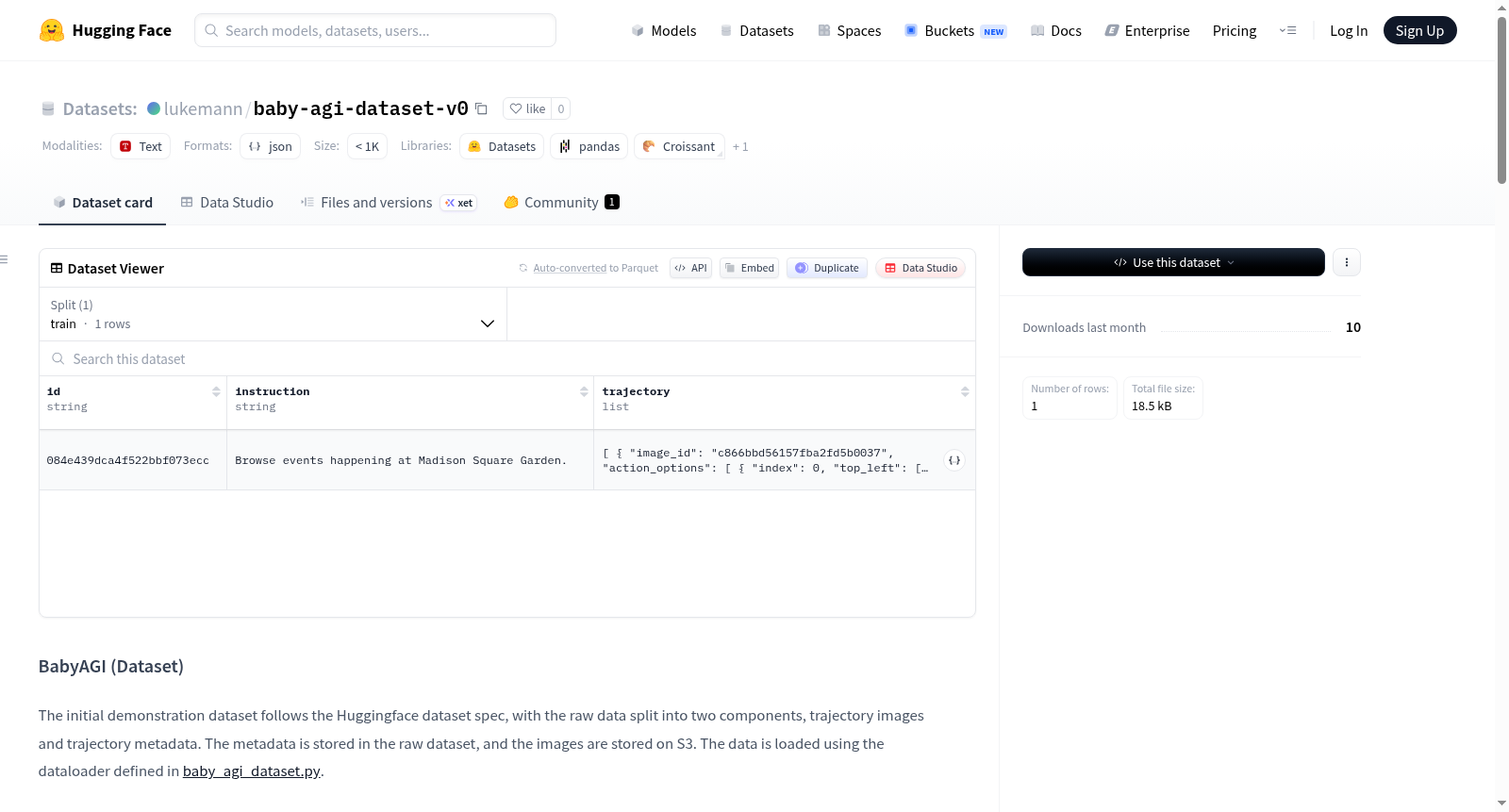
# BabyAGI (Dataset)
The initial demonstration dataset follows the Huggingface dataset spec, with the raw data split into two components, trajectory images and trajectory metadata. The metadata is stored in the raw dataset, and the images are stored on S3. The data is loaded using the dataloader defined in [baby_agi_dataset.py](./baby_agi_dataset.py).
**Data Layout:**
```plaintext
├── data
│ ├── metadata_0.json
│ ├── metadata_1.json
│ └── ...
├-- baby_agi_dataset.py
```
### Metadata Format (.json)
```json
[
{
"id": "<trajectory_id_hash>",
"instruction": "<some instruction>",
"trajectory": [
{
"image_id": "image_id",
"action_options": [
{
"index": 0,
"top_left": [120, 340],
"bottom_right": [140, 440],
},
...
],
"action_taken": {
"type": "click",
"value": "value (only for type and scroll)",
"action_option_index": 0
}
},
...
]
},
]
```
## Action Types
The dataset metadata includes three types of actions: "click", "type", and "scroll". The `action_option_index` field indicates the index of the clicked element within the `action_options` list.
1. **Click**: Represents a user clicking on an element.
2. **Type**: Represents a user typing into an input field.
3. **Scroll**: Represents a user scrolling the viewport. The `value` field indicates the direction of the scroll, with "up" corresponding to a 200px scroll upwards and "down" corresponding to a 200px scroll downwards. Note that `bottom_left` and `top_right` will always be zero-arrays for these.
## Dataset Generation Pipeline
The dataset is generated through the following steps:
1. **Load Demo**: The demo is loaded from the Hugging Face dataset.
2. **Load Trace**: The trace is loaded from the Globus dataset.
3. **Process Trajectories**: For each Mind2Web (M2W) trajectory:
a) **Map Actions**: M2W actions are mapped to Playwright trace actions using the timestamp in `dom_content.json`.
b) **Screenshot DOM**: The DOM is "screenshoted" just before the action.
c) **Map Candidates**: `pos_candidates` and `neg_candidates` from the M2W action metadata are mapped to HTML bounding boxes via class+id matching from the action metadata. New bounding box coordinates are obtained for each.
d) **Craft Meta + Screenshot Pair**: The pair of metadata and screenshots is crafted and saved/appended.
4. **Save Data**: The updated data directory is saved to S3 and Hugging Face.
### Screenshots
Screenshots in this dataset are generated from the before states of Mind2Web trajectory traces. Each image has a width of 2036 and a height of 1144. For alternate screen sizes (via augmentation), padding is added to maintain the aspect ratio. This ensures that the content of the screenshot remains consistent across different screen sizes.
### Options Generation
Options in this dataset are generated from `positive_candidates` (always one) and `negative_candidates` in the Mind2Web (M2W) dataset. The M2W dataset labels *all* possible interactions on the DOM. Therefore, the 50 largest area-wise options within the viewport containing the positive candidate are selected.
### Scrolling
The Mind2Web (M2W) dataset captures the entire DOM, so when the selected option action is not in the viewport, artificial scroll actions are created. This action has two possible values: "up" and "down". Each of which corresponds to a 200px scroll in the respective direction.
### Selecting
The "Select" action in the Mind2Web (M2W) dataset is recorded when a user makes a selection from a dropdown list. In this dataset, we represent it as a sequence of two distinct actions in a trajectory:
1. **Click**: The user clicks on the dropdown element.
2. **Type**: The user types the desired value followed by Enter
## Usage
To use the dataset in your Python program, you can load it using the `load_dataset` function from the `datasets` library:
```python
from datasets import load_dataset
# typically load_dataset("lukemann/baby-agi-dataset-v0"
dataset = load_dataset("lukemann/baby-agi-dataset-v0")
first_row = dataset['train'][0]
print(first_row)
```
This will load the dataset and print the first row of the training set.
For a short demo, refer to the [demo.py](./demo.py) file.
提供机构:
lukemann
原始信息汇总
数据集概述
数据集信息
-
特征列表:
id: 数据类型为字符串。instruction: 数据类型为字符串。trajectory: 包含以下子特征:image_id: 数据类型为字符串。action_options: 包含以下子特征:index: 数据类型为整数32位。top_left: 数据类型为整数32位序列。bottom_right: 数据类型为整数32位序列。
action_taken: 包含以下子特征:type: 数据类型为字符串。value: 数据类型为字符串。action_option_index: 数据类型为整数32位。
-
数据分割:
train: 包含1个样本,占用722字节。
-
数据集大小:
- 下载大小: 1432409字节。
- 数据集大小: 722字节。
数据布局
plaintext ├── data │ ├── metadata_0.json │ ├── metadata_1.json │ └── ... ├-- baby_agi_dataset.py
元数据格式 (.json)
json [ { "id": "<trajectory_id_hash>", "instruction": "<some instruction>", "trajectory": [ { "image_id": "image_id", "action_options": [ { "index": 0, "top_left": [120, 340], "bottom_right": [140, 440], }, ... ], "action_taken": { "type": "click", "value": "value (only for type and scroll)", "action_option_index": 0 } }, ... ] }, ]
动作类型
- Click: 表示用户点击某个元素。
- Type: 表示用户在输入框中输入内容。
- Scroll: 表示用户滚动视口。
value字段指示滚动方向,"up"表示向上滚动200像素,"down"表示向下滚动200像素。
数据集生成流程
- 加载演示: 从Hugging Face数据集加载演示。
- 加载轨迹: 从Globus数据集加载轨迹。
- 处理轨迹: 对每个Mind2Web (M2W)轨迹进行以下处理:
- 映射动作: 使用
dom_content.json中的时间戳将M2W动作映射到Playwright轨迹动作。 - 截图DOM: 在动作之前对DOM进行截图。
- 映射候选: 将M2W动作元数据中的
pos_candidates和neg_candidates通过类+ID匹配映射到HTML边界框。 - 构建元数据+截图对: 构建并保存/追加元数据和截图对。
- 映射动作: 使用
- 保存数据: 将更新后的数据目录保存到S3和Hugging Face。
截图
- 截图尺寸: 宽度2036像素,高度1144像素。
- 通过增加填充来保持不同屏幕尺寸下的纵横比。
选项生成
- 从Mind2Web (M2W)数据集的
positive_candidates和negative_candidates生成选项。 - 选择包含正候选者的视口中面积最大的50个选项。
滚动
- 当所选选项不在视口中时,创建人工滚动动作。
- 滚动动作有两个可能值: "up"和"down",分别对应向上和向下滚动200像素。
选择
- 在Mind2Web (M2W)数据集中,选择动作表示用户从下拉列表中进行选择。
- 在本数据集中,表示为轨迹中的两个独立动作:
- Click: 用户点击下拉元素。
- Type: 用户输入所需值并按Enter键。
搜集汇总
数据集介绍
构建方式
该数据集基于Mind2Web(M2W)轨迹数据构建,遵循一套严谨的流水线式生成流程。首先,从Hugging Face加载演示数据,并从Globus数据集获取原始轨迹。随后,针对每一条M2W轨迹,依据dom_content.json中的时间戳将M2W动作映射至Playwright轨迹动作,并在动作执行前对DOM进行截图。接着,通过类别与ID匹配,将M2W动作元数据中的正负候选元素映射至HTML边界框,从而获取新的坐标。最终,将处理后的元数据与截图配对保存,并上传至S3与Hugging Face平台。元数据以JSON格式存储,包含指令、轨迹序列及每步的动作选项与执行动作。
特点
数据集独具匠心地将GUI交互轨迹转化为结构化元数据与截图的对齐形式,每个轨迹包含唯一的指令标识与多步操作序列。动作类型涵盖点击、输入与滚动三类,其中滚动操作通过像素值模拟上下翻页。动作选项由M2W中的正负候选元素衍生而来,选取视口内面积最大的50个元素作为候选,确保选项的丰富性与代表性。截图均源自动作执行前的DOM状态,统一尺寸为2036×1144,并通过填充保持宽高比,以适配不同屏幕。对于视口外的选择操作,数据集会人工生成滚动动作,并将下拉选择拆解为点击与输入两步,增强了动作序列的细粒度与真实性。
使用方法
用户可通过Hugging Face的datasets库便捷加载该数据集,调用load_dataset("lukemann/baby-agi-dataset-v0")即可获取训练集。加载后的数据集以字典形式呈现,每条样本包含id、instruction及trajectory字段,其中trajectory由多步快照组成,每步记录截图ID、动作选项列表及实际执行动作。用户可遍历trajectory解析每一步的action_options与action_taken,以复现或学习GUI交互策略。为便于快速上手,项目提供了demo.py示例文件,展示了数据加载与基础操作流程,适用于训练视觉语言模型执行网页导航等任务。
背景与挑战
背景概述
BabyAGI数据集诞生于2023年,由Lukas Mann等研究者构建,旨在推动自主智能体在图形用户界面(GUI)操作任务中的研究。该数据集聚焦于将自然语言指令映射为连续的界面交互轨迹,核心研究问题在于如何让智能体像人类一样理解网页或应用中的视觉元素,并执行点击、输入、滚动等操作。作为Mind2Web数据集的衍生版本,BabyAGI通过精细化处理原始DOM截图与操作元数据,提供了包含轨迹图像与结构化动作标注的标准化资源。其对自主智能体领域的贡献在于,为训练具备多步推理能力的GUI操作模型提供了高质量基准,推动了从静态网页理解到动态交互决策的研究范式转变。
当前挑战
当前BabyAGI数据集面临多重挑战。在领域问题层面,如何从高维视觉输入中准确识别可交互元素并预测合理操作序列仍是核心难题,尤其当界面布局复杂或元素动态加载时,模型易产生错误决策。在构建过程中,原始Mind2Web数据中DOM节点的候选区域筛选依赖面积排序策略,可能忽略语义重要性更高的元素;同时,截图生成时固定视口尺寸与真实设备多样性之间存在差异,需通过填充保持宽高比,但此举可能引入冗余视觉信息。此外,跨轨迹的动作映射依赖时间戳对齐,对异步渲染场景的鲁棒性不足,限制了数据集的扩展性与泛化能力。
常用场景
经典使用场景
BabyAGI数据集在智能体决策与任务规划领域具有重要价值,其核心使用场景在于为基于视觉的图形用户界面(GUI)自动化代理提供细粒度的行为轨迹数据。通过记录用户从自然语言指令到具体交互动作(点击、输入、滚动)的完整路径,该数据集支持研究者训练模型以理解复杂网页环境中的操作逻辑。典型应用包括构建能够根据指令自主完成多步骤任务(如在线表单填写、信息检索)的智能体,并作为评估模型在开放域交互中泛化能力的基准。
实际应用
在实际应用中,BabyAGI数据集赋能了多种生产力工具的智能化升级。例如,基于其训练的模型可集成至自动化测试平台,模拟用户行为对网页进行回归测试;亦可用于开发无障碍辅助技术,帮助视障用户通过语音指令完成网页操作。电商领域的批量商品上架、金融系统的自动报表生成等重复性流程,均可借助该数据集训练的代理实现高效编排,从而降低人工干预成本并提升操作准确性。
衍生相关工作
该数据集衍生出若干影响深远的工作,包括基于对比学习的视觉动作定位方法,以及利用层次化强化学习分解长程任务的框架。研究者还借鉴其轨迹结构,提出了跨平台操作迁移的元学习策略,使得代理能适应不同分辨率的界面。此外,结合大语言模型(LLM)的上下文理解能力,BabyAGI催生了多模态推理管线,通过将截图与指令联合编码,显著提升了复杂指令的解析成功率,为下一代通用数字助手奠定了数据基础。
以上内容由遇见数据集搜集并总结生成



