
julia527/omnihuman_dataset
收藏Hugging Face2026-04-11 更新2026-04-12 收录
下载链接:
https://hf-mirror.com/datasets/julia527/omnihuman_dataset
下载链接
链接失效反馈官方服务:
资源简介:
---
configs:
- config_name: omnihuman_supp_all
data_files:
- split: train
path: preview/omnihuman_supp_all_viewer.parquet
---
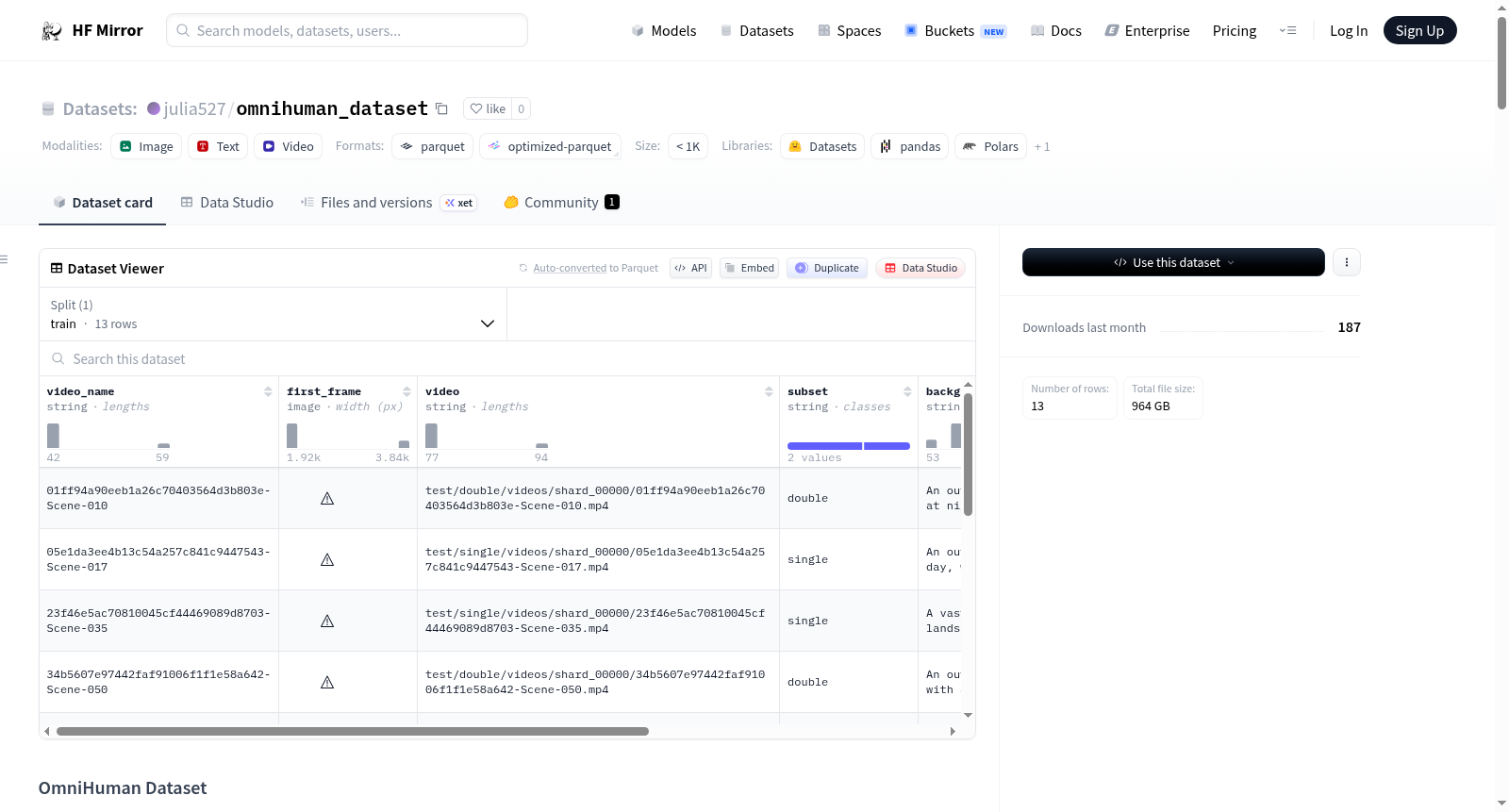
⚠️ **WARNING: Dataset under construction**
- Current upload: <10%
- This is NOT the full dataset
- Do NOT use for training
- Structure and data may change
# OmniHuman Dataset
OmniHuman is a large-scale video dataset release for human-centric understanding and generation tasks.
## Key Facts
- Total released videos: **200,000**
- Double-person videos: **20%** of the full release
- Total unique identities (`id`): **20,000**
## Repository Structure
All large assets are stored as tar shards under `archives/`. The `train/` and `test/` directories are **not** included in the repository; they are reconstructed by extracting the archives.
What ships on the Hub:
```text
omnihuman_1/
├── README.md
├── scripts/ # extraction & utility scripts
├── preview/ # lightweight preview data
└── archives/
├── videos_index.csv
├── videos_part_00000.tar
├── videos_part_00001.tar
├── ...
├── tracking_npz_index.csv
├── tracking_npz_part_*.tar
├── ref_face_index.csv
├── ref_face_part_*.tar
├── sample_json_index.csv
├── sample_json_part_*.tar.gz
├── metadata_index.csv
└── metadata_part_*.tar.gz
```
## Download from Hugging Face
You need the full repository contents (including `archives/`) on disk before extraction.
### Option A: `git lfs` (recommended if available)
```bash
# install git-lfs once, then:
git lfs install
git clone https://huggingface.co/datasets/<HF_DATASET_ID>
cd <HF_DATASET_ID>
git lfs pull
```
### Option B: `huggingface-cli` (no git required)
```bash
pip install -U "huggingface_hub[cli]"
huggingface-cli login
# downloads the repo snapshot into the current folder
huggingface-cli download <HF_DATASET_ID> --repo-type dataset --local-dir . --local-dir-use-symlinks False
```
## Quick Start: Extract from archives
Run everything from the **repo root** (the directory containing `archives/` and `scripts/`).
### Extract everything (videos + all assets)
```bash
python scripts/extract_video_from_archives.py --repo-root . --all && \
for asset in tracking_npz ref_face sample_json metadata; do
python scripts/extract_asset_from_archives.py --repo-root . --asset "$asset" --all
done
```
To resume after interruption (skip already-extracted files), add `--skip-existing` to each command above.
### Extract videos only
```bash
python scripts/extract_video_from_archives.py --repo-root . --all
```
### Partial extraction
To extract a single tar shard or a single file instead of everything:
**Videos** (index: `archives/videos_index.csv`):
```bash
# one tar shard
python scripts/extract_video_from_archives.py --repo-root . --archive archives/videos_part_00000.tar
# one file (use a video_relpath value from archives/videos_index.csv)
python scripts/extract_video_from_archives.py --repo-root . --video "<video_relpath>"
```
Shards can also be unpacked with plain `tar`: `tar xf archives/videos_part_00000.tar` (member paths match `video_relpath`).
**Other assets** (index: `archives/<asset>_index.csv`; `<asset>` is one of `tracking_npz`, `ref_face`, `sample_json`, `metadata`, `reports`):
```bash
# one tar shard
python scripts/extract_asset_from_archives.py --repo-root . --asset <asset> --archive archives/<asset>_part_00000.tar
# one file (use a relpath value from archives/<asset>_index.csv)
python scripts/extract_asset_from_archives.py --repo-root . --asset <asset> --relpath "<relpath>"
```
## Dataset Layout (after extraction)
After extracting, the repo root will contain:
- `train/`: training split
- `test/`: benchmark split for evaluation and comparison
Each split is divided into two subsets:
- `single/`: single-person videos
- `double/`: double-person videos
```text
omnihuman_1/
├── README.md
├── archives/
├── train/
│ ├── single/
│ │ ├── videos/
│ │ ├── tracking_npz/
│ │ ├── ref_face/
│ │ ├── sample_json/
│ │ ├── metadata/
│ │ └── reports/
│ └── double/
│ ├── videos/
│ ├── tracking_npz/
│ ├── ref_face/
│ ├── sample_json/
│ ├── metadata/
│ └── reports/
└── test/
└── ...
```
## Folder Description
For each subset (`single/` or `double/`):
| Folder | Description |
| --------------- | --------------------------------------------------------------- |
| `videos/` | Released videos from `video_input_path` |
| `tracking_npz/` | Tracking `.npz` files from source tracking output |
| `ref_face/` | Cropped reference face images (e.g. `REF_0_face`, `REF_1_face`) |
| `sample_json/` | One cleaned JSON annotation per sample |
| `metadata/` | JSONL index files for scanning and loading |
Note: for `double/` samples, both persons' tracking data are stored in the same `.npz` file.
## Naming and Sharding
```text
train/single/
├── videos/
│ └── shard_00000/
│ └── xxx.mp4
├── tracking_npz/
│ └── shard_00000/
│ └── xxx.npz
├── ref_face/
│ └── shard_00000/
│ ├── xxx__REF_0.jpg
│ └── xxx__REF_1.jpg
├── sample_json/
│ └── shard_00000/
│ └── xxx.json
└── metadata/
└── train_single_shard_00000.jsonl
```
Rules:
- Sample name is derived from `Path(video_input_path).stem`.
- Duplicate basenames are disambiguated with `__dupXXXX`.
- Metadata files use split/subset prefixes such as `train_single_*`.
- When sharding is enabled, each shard contains up to 2000 samples.
## `sample_json` Content
`sample_json/xxx.json` is the core per-sample annotation. It typically contains:
1. Person tracking
- `person_id`, matched identity (e.g. `REF_1`), `face_id`, frame span, audio alignment fields, blur/quality statistics
2. Video-level metadata
- `fps`, duration, resolution, and background audio fields
3. Structured subject annotations (`output`)
- appearance, action, expression, position, subject type, and main-subject flag
4. Caption and language annotations
- English/Chinese captions, REF-linked variants (double-person case), replacement-text variants, and audio-caption fields
5. Speech annotations
- speaker language, transcript text, emotion, and offscreen flags
6. Quality/consistency signals
- fields such as `semantic_consistency`
## Preview with `datasets`
The Hub hosts a lightweight preview split that can be loaded without extracting archives:
```python
from datasets import load_dataset
ds = load_dataset("<HF_DATASET_ID>", "omnihuman_supp_all", split="train")
print(ds)
print(ds[0])
```
To work with the full dataset (videos, tracking, ref_face, etc.), extract from archives first as described above.
提供机构:
julia527
搜集汇总
数据集介绍
构建方式
在构建OmniHuman数据集的过程中,研究者采用了系统化的数据采集与标注流程。该数据集包含20万个视频片段,涵盖2万个独特身份,其中双人视频占比达到20%。数据以分片存档的形式组织,包括视频、跟踪数据、参考面部图像、样本标注及元数据等多个资产类别。每个样本均通过自动化与人工结合的方式生成结构化标注,确保身份匹配、动作描述及语言转录等信息的准确性。数据集按训练与测试划分,并进一步细分为单人与双人子集,以适应不同研究场景的需求。
特点
OmniHuman数据集以其规模宏大与标注细致而著称,为以人为中心的视觉理解与生成任务提供了丰富资源。数据集不仅包含原始视频,还附带了跟踪数据、参考面部图像及多语言标注,支持对人物外观、动作、表情及语音的深入分析。其双人视频子集特别设计了身份关联标注,便于研究交互场景。数据以分片结构存储,兼顾了高效访问与扩展性,同时提供轻量级预览版本,便于快速探索与原型开发。
使用方法
使用OmniHuman数据集时,用户需从HuggingFace下载完整存档文件,并通过配套脚本解压视频及相关资产。数据集支持全量或部分提取,用户可根据需要选择特定分片或文件。解压后,数据按训练/测试及单人/双人子集组织,便于模型训练与评估。对于快速预览,可直接通过`datasets`库加载轻量级Parquet格式数据。研究者在处理完整视频时,可结合跟踪数据与结构化标注,开发人物跟踪、行为识别或跨模态生成等高级应用。
背景与挑战
背景概述
在人工智能与计算机视觉领域,以人为中心的视频理解与生成任务正成为研究前沿。OmniHuman数据集作为一项大规模视频资源,由相关研究团队于近期发布,旨在为人类行为分析、身份识别、动作生成等复杂任务提供丰富的数据支持。该数据集收录了二十万段视频,涵盖两万个独特身份,其中双人互动视频占比达到百分之二十,其规模与多样性为模型训练与评估奠定了坚实基础。通过整合视频、跟踪数据、面部参考图像及结构化标注,OmniHuman不仅推动了多模态学习的发展,也为生成式人工智能在人类中心应用中的创新提供了关键驱动力。
当前挑战
在人类中心视频理解领域,模型需应对复杂场景下的人物交互、动态姿态变化及身份一致性保持等核心难题。OmniHuman数据集致力于解决这些挑战,其构建过程同样面临诸多困难:大规模视频数据的采集与标注需确保隐私合规与伦理安全,同时维持高精度的人物跟踪与身份匹配;双人视频中交互行为的结构化描述要求细致的语义解析,以区分个体动作与协同效应;此外,数据存储与分发的效率问题亦不容忽视,通过分片压缩与索引优化实现高效访问,成为技术实现的关键环节。
常用场景
经典使用场景
在计算机视觉与人工智能领域,大规模视频数据集对于推动人本理解与生成任务至关重要。OmniHuman数据集以其包含20万视频、2万个独特身份及20%双人视频的规模,成为训练和评估人物动作识别、姿态估计、行为分析及多模态生成模型的经典资源。该数据集通过提供丰富的视频序列、跟踪数据、面部参考图像及结构化标注,支持从单人到双人交互场景的全面建模,为算法开发提供了高保真、多样化的训练与测试基准。
解决学术问题
OmniHuman数据集有效应对了人本视觉研究中数据稀缺与标注不足的挑战。其大规模、高质量的视频与多模态标注解决了人物动作细粒度分类、跨身份行为泛化、多人物交互建模等核心学术问题。通过提供精确的跟踪数据、面部参考及语义一致性信号,该数据集促进了人物重识别、动作生成、视频描述生成等任务的算法创新,显著提升了模型在真实复杂场景中的鲁棒性与泛化能力。
衍生相关工作
围绕OmniHuman数据集,学术界衍生了一系列经典研究工作。这些工作主要集中在人物视频生成、跨模态对齐、行为预测及身份保持建模等方向。例如,基于其跟踪数据与参考面部图像的研究提升了人物动作迁移的真实性;利用其多语言标注的工作推动了视频描述生成的跨语言泛化;结合其结构化语义标注的模型则优化了复杂场景中多人交互的识别与生成精度,为人本AI领域奠定了坚实的算法基础。
以上内容由遇见数据集搜集并总结生成



