
financial_classification
收藏魔搭社区2026-05-16 更新2025-11-03 收录
下载链接:
https://modelscope.cn/datasets/swift/financial_classification
下载链接
链接失效反馈官方服务:
资源简介:
## 数据集
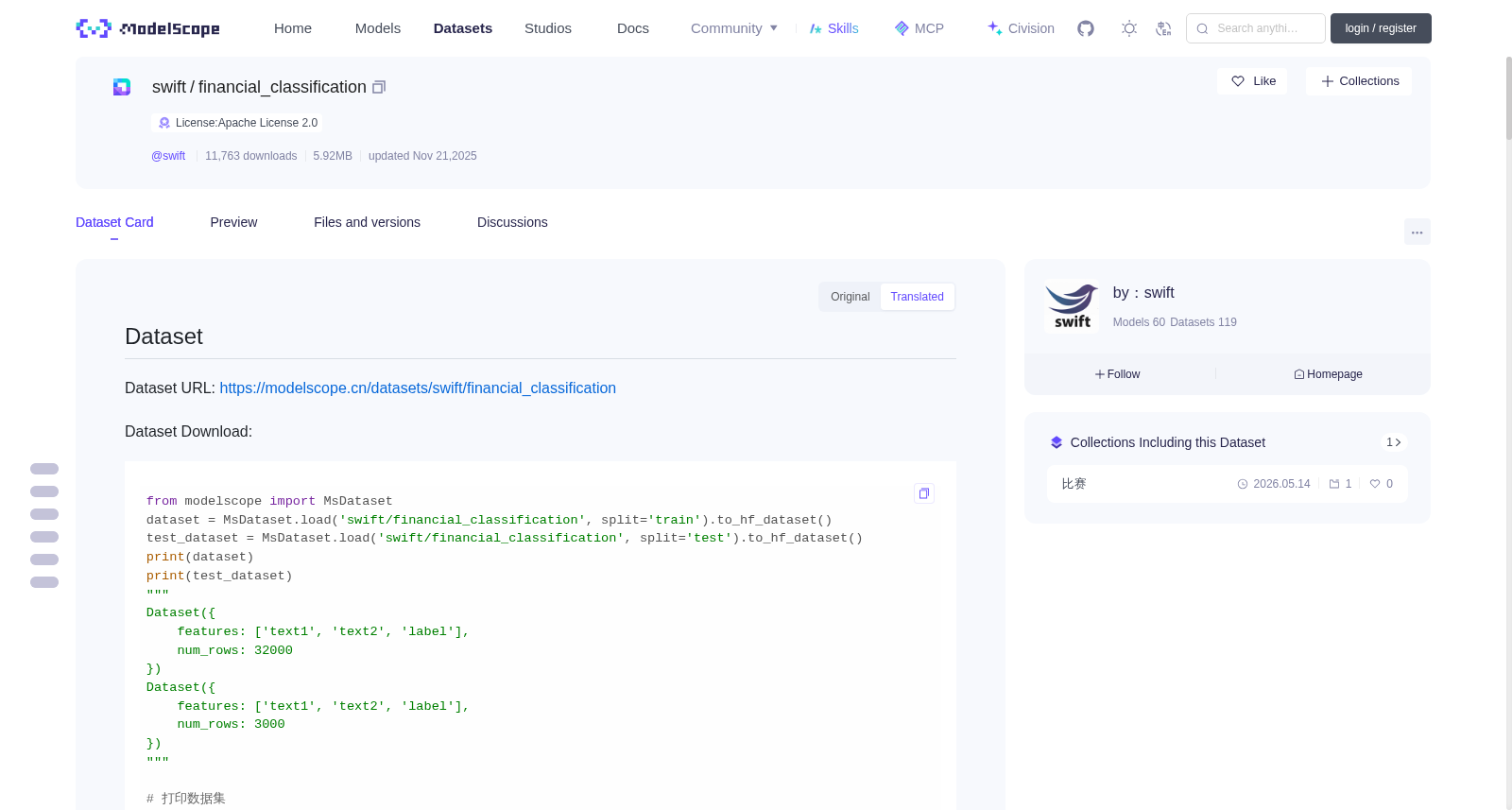
数据集地址:https://modelscope.cn/datasets/swift/financial_classification
数据集下载:
```python
from modelscope import MsDataset
dataset = MsDataset.load('swift/financial_classification', split='train').to_hf_dataset()
test_dataset = MsDataset.load('swift/financial_classification', split='test').to_hf_dataset()
print(dataset)
print(test_dataset)
"""
Dataset({
features: ['text1', 'text2', 'label'],
num_rows: 32000
})
Dataset({
features: ['text1', 'text2', 'label'],
num_rows: 3000
})
"""
# 打印数据集
print(dataset[0])
"""
{'text1': '借呗有先息到期还本吗', 'text2': '蚂蚁借呗等额还款可以换成先息后本吗', 'label': 0}
"""
print(test_dataset[0])
"""
{'text1': '花呗已经确认收货了但是还是显示未出账', 'text2': '未确认收货花呗已入账', 'label': None}
"""
```
该数据集包含 32,000 条训练样本 和 3,000 条测试样本。在训练集中,每条样本均包含真实标签 `label`,代表text1和text2之间的含义是否相似,若不相似则为0,相似则为1。测试集中则不包含 `label` 标签,模型需要根据测试集中提供的 `"text1"` 和 `"text2"` 字段,推断出label是什么,本质是一个金融场景下的二分类问题。
## 基线
以下介绍如何使用**ms-swift**大模型训练框架,基于该数据集对**Qwen3-4B**进行**LoRA微调**的基线实现:
- ms-swift: https://github.com/modelscope/ms-swift
- Qwen3-4B: https://modelscope.cn/models/Qwen/Qwen3-4B-Instruct-2507
- 显存需求:该基线实现所需显存资源为**10GiB**,可在魔搭平台的免费算力A10(22GiB显存资源)上运行:https://modelscope.cn/my/mynotebook
- 性能指标:该基线实现的评测分数为**0.764**。
在开始微调之前,请确保您的环境已正确配置:
```bash
pip install "transformers<4.58" "ms-swift<3.10" -U
```
首先,我们观察,在训练过程中,ms-swift如何对数据样本进行格式转换,以及对哪些部分进行损失计算:
```python
from modelscope import MsDataset
from swift.llm import get_model_tokenizer, get_template
dataset = MsDataset.load('swift/financial_classification', split='train').to_hf_dataset()
data = dataset[0]
_, tokenizer = get_model_tokenizer('Qwen/Qwen3-4B-Instruct-2507', load_model=False)
template = get_template(tokenizer.model_meta.template, tokenizer, agent_template='hermes')
inputs = {
"messages": [
{"role": "user", "content": f"任务:判断下面两句话语意是否相似。\n句子1: {data['text1']}\n句子2: {data['text2']}\n请输出类别[0/1]: 0代表含义不同, 1代表含义相似。"},
{"role": "assistant", "content": str(data['label'])}
]
}
template.set_mode('train')
encoded = template.encode(inputs)
print(f'[INPUT_IDS] {template.safe_decode(encoded["input_ids"])}\n')
print(f'[LABELS] {template.safe_decode(encoded["labels"])}')
"""
[INPUT_IDS] <|im_start|>user
任务:判断下面两句话语意是否相似。
句子1: 借呗有先息到期还本吗
句子2: 蚂蚁借呗等额还款可以换成先息后本吗
请输出类别[0/1]: 0代表含义不同, 1代表含义相似。<|im_end|>
<|im_start|>assistant
0<|im_end|>
[LABELS] [-100 * 74]0<|im_end|>
"""
```
单卡训练的代码如下。如果要进行多卡训练,你可以使用命令行方式启动训练。
- 多卡训练参考:[例子](https://github.com/modelscope/ms-swift/tree/main/examples/train/multi-gpu)
- 注册数据集参考:[文档](https://swift.readthedocs.io/zh-cn/latest/Customization/%E8%87%AA%E5%AE%9A%E4%B9%89%E6%95%B0%E6%8D%AE%E9%9B%86.html),[例子](https://github.com/modelscope/ms-swift/tree/main/examples/custom)
```python
# 10GiB
import os
from typing import Dict, Any
os.environ['CUDA_VISIBLE_DEVICES'] = '0'
from swift.llm import (
TrainArguments, sft_main, register_dataset, DatasetMeta, ResponsePreprocessor, SubsetDataset
)
class CustomPreprocessor(ResponsePreprocessor):
def preprocess(self, row: Dict[str, Any]) -> Dict[str, Any]:
query = f"""任务:判断下面两句话语意是否相似。
句子1: {row['text1']}
句子2: {row['text2']}
请输出类别[0/1]: 0代表含义不同, 1代表含义相似。
"""
response = str(row['label'])
row = {
'query': query,
'response': response
}
return super().preprocess(row)
register_dataset(
DatasetMeta(
ms_dataset_id='swift/financial_classification',
subsets=[SubsetDataset('train', split=['train']), SubsetDataset('test', split=['test'])],
preprocess_func=CustomPreprocessor(),
))
if __name__ == '__main__':
sft_main(TrainArguments(
model='Qwen/Qwen3-4B-Instruct-2507',
dataset=['swift/financial_classification:train'],
train_type='lora',
torch_dtype='bfloat16',
num_train_epochs=3,
per_device_train_batch_size=1,
per_device_eval_batch_size=1,
learning_rate=1e-4,
lora_rank=8,
lora_alpha=32,
target_modules=['all-linear'],
gradient_accumulation_steps=4,
eval_steps=50,
save_steps=50,
save_total_limit=2,
logging_steps=5,
max_length=2048,
output_dir='output',
warmup_ratio=0.05,
dataset_num_proc=4,
dataloader_num_workers=4,
attn_impl='flash_attn',
packing=True,
save_only_model=True,
))
```
## 提交结果
我们提供了推理脚本, 最终需要将以下推理脚本产生的`infer_result`目录中的jsonl文件进行提交 (由于比赛界面只允许传递json后缀的文件, 请重命名为`result.json`, 不需要改内容).
```python
import os
from typing import Dict, Any
os.environ['CUDA_VISIBLE_DEVICES'] = '0'
from swift.llm import (
InferArguments, infer_main, register_dataset, DatasetMeta, ResponsePreprocessor, SubsetDataset
)
class CustomPreprocessor(ResponsePreprocessor):
def preprocess(self, row: Dict[str, Any]) -> Dict[str, Any]:
query = f"""任务:判断下面两句话语意是否相似。
句子1: {row['text1']}
句子2: {row['text2']}
请输出类别[0/1]: 0代表含义不同, 1代表含义相似。
"""
response = str(row['label'])
row = {
'query': query,
'response': response
}
return super().preprocess(row)
register_dataset(
DatasetMeta(
ms_dataset_id='swift/financial_classification',
subsets=[SubsetDataset('train', split=['train']), SubsetDataset('test', split=['test'])],
preprocess_func=CustomPreprocessor(),
))
ckpt_dir = 'output/vx-xxx/checkpoint-xxx' # last_checkpoint
result = infer_main(InferArguments(
adapters=[ckpt_dir],
temperature=0,
max_batch_size=16,
val_dataset=["swift/financial_classification:test"],
infer_backend='pt'))
```
提交的jsonl文件格式如下,顺序与`test_dataset`顺序一致,共3000条,
```
{"response": "0"}
{"response": "1"}
{"response": "1"}
```
## 模型上传
模型上传到ModelScope,参考这个文档:https://modelscope.cn/docs/models/upload#%E4%BD%BF%E7%94%A8-git-%E4%B8%8A%E4%BC%A0%E6%A8%A1%E5%9E%8B
首先需要安装`git`, `git-lfs`:
```shell
# 使用apt安装
apt install git git-lfs
# 或使用conda安装
conda install git git-lfs
```
在页面上创建模型:
https://modelscope.cn/my/myspace?activeTab=model
点击创建模型,或者直接使用这个链接:https://modelscope.cn/models/create
<img src="./asset/create.png" height="500">
创建完后,使用git clone到本地:
<img src="./asset/download.png" height="150">
```shell
git lfs install
git clone https://oauth2:YOUR-ACCESS-TOKEN@www.modelscope.cn/user/my-test-model.git
```
clone到本地是一个文件夹,然后将模型放置到文件夹中,**并添加相关推理代码** (README.md)。然后推送模型到modelscope:
```shell
git add .
git commit -m 'update model'
git push
```
## 打分脚本
打分脚本的伪代码:
```python
from swift.utils import read_from_jsonl
from datasets import load_dataset
labels = load_dataset('json', data_files='test_label.jsonl', split='train')['label']
results = read_from_jsonl('result.jsonl')
count = 0
for i, (res, label) in enumerate(zip(results, labels)):
if int(res['response']) == label:
count += 1
print(f'acc: {count / len(results)}')
```
## 交流群
<img src="https://github.com/modelscope/ms-swift/blob/main/asset/wechat.png" width="200" height="200">
数据集
数据集地址:https://modelscope.cn/datasets/swift/financial_classification
数据集下载:
python
from modelscope import MsDataset
dataset = MsDataset.load('swift/financial_classification', split='train').to_hf_dataset()
test_dataset = MsDataset.load('swift/financial_classification', split='test').to_hf_dataset()
print(dataset)
print(test_dataset)
"""
Dataset({
features: ['text1', 'text2', 'label'],
num_rows: 32000
})
Dataset({
features: ['text1', 'text2', 'label'],
num_rows: 3000
})
"""
# 打印数据集
print(dataset[0])
"""
{'text1': '借呗有先息到期还本吗', 'text2': '蚂蚁借呗等额还款可以换成先息后本吗', 'label': 0}
"""
print(test_dataset[0])
"""
{'text1': '花呗已经确认收货了但是还是显示未出账', 'text2': '未确认收货花呗已入账', 'label': None}
"""
本数据集共包含32000条训练样本与3000条测试样本。训练集样本均带有真实标签`label`,用于表征`text1`与`text2`的语义是否相似:标签为0代表二者语义不相似,标签为1代表二者语义相似。测试集无`label`标签,模型需基于测试集中的`text1`与`text2`字段推断对应标签,本任务本质为金融场景下的二分类任务。
## 基线
以下将介绍基于本数据集,使用**ms-swift**大模型训练框架对**Qwen3-4B**执行**LoRA(Low-Rank Adaptation)**微调的基线实现方案:
- ms-swift: 项目仓库地址:https://github.com/modelscope/ms-swift
- Qwen3-4B: 模型仓库地址:https://modelscope.cn/models/Qwen/Qwen3-4B-Instruct-2507
- 显存需求:本基线实现所需显存为**10GiB**,可在魔搭平台(ModelScope)的免费算力A10(22GiB显存)上运行:https://modelscope.cn/my/mynotebook
- 性能指标:本基线实现的评测准确率为**0.764**。
在启动微调前,请确保已正确配置运行环境:
bash
pip install "transformers<4.58" "ms-swift<3.10" -U
首先,我们将查看ms-swift在训练过程中如何对数据样本进行格式转换,并确定损失计算的目标范围:
python
from modelscope import MsDataset
from swift.llm import get_model_tokenizer, get_template
dataset = MsDataset.load('swift/financial_classification', split='train').to_hf_dataset()
data = dataset[0]
_, tokenizer = get_model_tokenizer('Qwen/Qwen3-4B-Instruct-2507', load_model=False)
template = get_template(tokenizer.model_meta.template, tokenizer, agent_template='hermes')
inputs = {
"messages": [
{"role": "user", "content": f"任务:判断下面两句话语意是否相似。
句子1: {data['text1']}
句子2: {data['text2']}
请输出类别[0/1]: 0代表含义不同, 1代表含义相似。"},
{"role": "assistant", "content": str(data['label'])}
]
}
template.set_mode('train')
encoded = template.encode(inputs)
print(f'[INPUT_IDS] {template.safe_decode(encoded["input_ids"])}
')
print(f'[LABELS] {template.safe_decode(encoded["labels"])}')
"""
[INPUT_IDS] <|im_start|>user
任务:判断下面两句话语意是否相似。
句子1: 借呗有先息到期还本吗
句子2: 蚂蚁借呗等额还款可以换成先息后本吗
请输出类别[0/1]: 0代表含义不同, 1代表含义相似。<|im_end|>
<|im_start|>assistant
0<|im_end|>
[LABELS] [-100 * 74]0<|im_end|>
"""
单卡训练代码如下。如需进行多卡训练,可通过命令行方式启动训练:
- 多卡训练参考示例:[链接](https://github.com/modelscope/ms-swift/tree/main/examples/train/multi-gpu)
- 数据集注册参考文档:[链接](https://swift.readthedocs.io/zh-cn/latest/Customization/%E8%87%AA%E5%AE%9A%E4%B9%89%E6%95%B0%E6%8D%AE%E9%9B%86.html)与示例:[链接](https://github.com/modelscope/ms-swift/tree/main/examples/custom)
python
# 10GiB
import os
from typing import Dict, Any
os.environ['CUDA_VISIBLE_DEVICES'] = '0'
from swift.llm import (
TrainArguments, sft_main, register_dataset, DatasetMeta, ResponsePreprocessor, SubsetDataset
)
class CustomPreprocessor(ResponsePreprocessor):
def preprocess(self, row: Dict[str, Any]) -> Dict[str, Any]:
query = f"""任务:判断下面两句话语意是否相似。
句子1: {row['text1']}
句子2: {row['text2']}
请输出类别[0/1]: 0代表含义不同, 1代表含义相似。
"""
response = str(row['label'])
row = {
'query': query,
'response': response
}
return super().preprocess(row)
register_dataset(
DatasetMeta(
ms_dataset_id='swift/financial_classification',
subsets=[SubsetDataset('train', split=['train']), SubsetDataset('test', split=['test'])],
preprocess_func=CustomPreprocessor(),
))
if __name__ == '__main__':
sft_main(TrainArguments(
model='Qwen/Qwen3-4B-Instruct-2507',
dataset=['swift/financial_classification:train'],
train_type='lora',
torch_dtype='bfloat16',
num_train_epochs=3,
per_device_train_batch_size=1,
per_device_eval_batch_size=1,
learning_rate=1e-4,
lora_rank=8,
lora_alpha=32,
target_modules=['all-linear'],
gradient_accumulation_steps=4,
eval_steps=50,
save_steps=50,
save_total_limit=2,
logging_steps=5,
max_length=2048,
output_dir='output',
warmup_ratio=0.05,
dataset_num_proc=4,
dataloader_num_workers=4,
attn_impl='flash_attn',
packing=True,
save_only_model=True,
))
## 提交结果
我们提供了推理脚本,最终需将该推理脚本生成的`infer_result`目录下的jsonl文件提交至赛事平台。由于赛事界面仅支持json后缀文件,请将其重命名为`result.json`,无需修改文件内容。
python
import os
from typing import Dict, Any
os.environ['CUDA_VISIBLE_DEVICES'] = '0'
from swift.llm import (
InferArguments, infer_main, register_dataset, DatasetMeta, ResponsePreprocessor, SubsetDataset
)
class CustomPreprocessor(ResponsePreprocessor):
def preprocess(self, row: Dict[str, Any]) -> Dict[str, Any]:
query = f"""任务:判断下面两句话语意是否相似。
句子1: {row['text1']}
句子2: {row['text2']}
请输出类别[0/1]: 0代表含义不同, 1代表含义相似。
"""
response = str(row['label'])
row = {
'query': query,
'response': response
}
return super().preprocess(row)
register_dataset(
DatasetMeta(
ms_dataset_id='swift/financial_classification',
subsets=[SubsetDataset('train', split=['train']), SubsetDataset('test', split=['test'])],
preprocess_func=CustomPreprocessor(),
))
ckpt_dir = 'output/vx-xxx/checkpoint-xxx' # last_checkpoint
result = infer_main(InferArguments(
adapters=[ckpt_dir],
temperature=0,
max_batch_size=16,
val_dataset=["swift/financial_classification:test"],
infer_backend='pt'))
提交的jsonl文件格式如下,样本顺序需与`test_dataset`保持一致,共3000条:
jsonl
{"response": "0"}
{"response": "1"}
{"response": "1"}
## 模型上传
模型上传至魔搭平台(ModelScope)的步骤可参考官方文档:https://modelscope.cn/docs/models/upload#%E4%BD%BF%E7%94%A8-git-%E4%B8%8A%E4%BC%A0%E6%A8%A1%E5%9E%8B
首先需安装`git`与`git-lfs`:
shell
# 使用apt安装
apt install git git-lfs
# 或使用conda安装
conda install git git-lfs
在页面上创建模型:
https://modelscope.cn/my/myspace?activeTab=model
点击创建模型,或者直接使用这个链接:https://modelscope.cn/models/create
<img src="./asset/create.png" height="500">
创建完后,使用git clone到本地:
<img src="./asset/download.png" height="150">
shell
git lfs install
git clone https://oauth2:YOUR-ACCESS-TOKEN@www.modelscope.cn/user/my-test-model.git
clone到本地是一个文件夹,然后将模型放置到文件夹中,**并添加相关推理代码** (README.md)。然后推送模型到modelscope:
shell
git add .
git commit -m 'update model'
git push
## 打分脚本
打分脚本的伪代码:
python
from swift.utils import read_from_jsonl
from datasets import load_dataset
labels = load_dataset('json', data_files='test_label.jsonl', split='train')['label']
results = read_from_jsonl('result.jsonl')
count = 0
for i, (res, label) in enumerate(zip(results, labels)):
if int(res['response']) == label:
count += 1
print(f'acc: {count / len(results)}')
## 交流群
<img src="https://github.com/modelscope/ms-swift/blob/main/asset/wechat.png" width="200" height="200">
提供机构:
maas
创建时间:
2025-10-31
搜集汇总
数据集介绍
背景与挑战
背景概述
该数据集是一个金融领域的文本分类数据集,专注于判断两个文本的语义相似性。它包含32,000个训练样本和3,000个测试样本,每个样本由'text1'、'text2'和'label'组成,其中标签为0(含义不同)或1(含义相似),构成一个二分类问题。测试集不提供标签,需要模型基于文本对进行推断,适用于金融场景下的自然语言处理任务。
以上内容由遇见数据集搜集并总结生成



