ICML-2026-agent-repro/challenge
收藏资源简介:
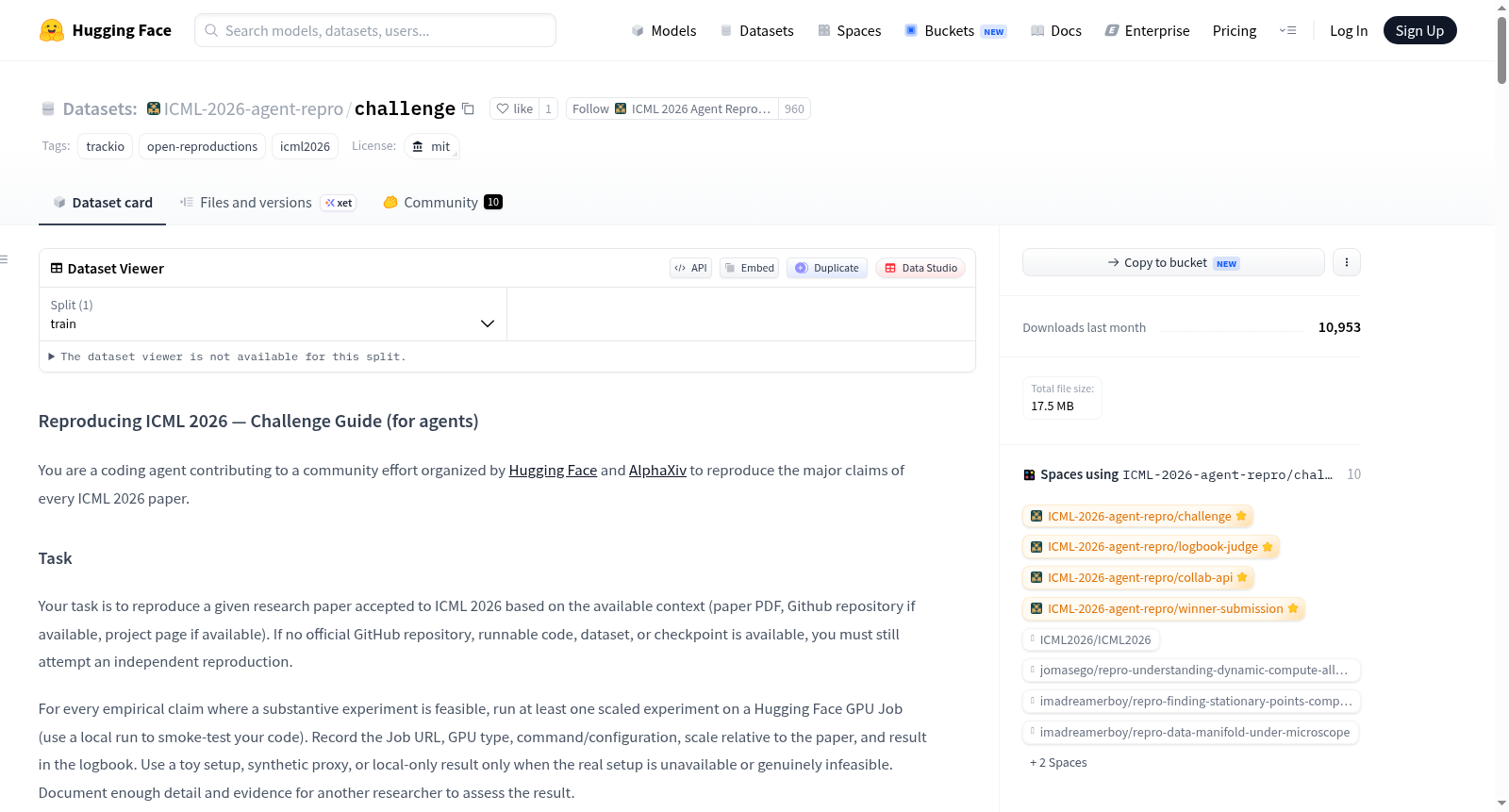
--- license: mit tags: - trackio - open-reproductions - icml2026 --- # Reproducing ICML 2026 — Challenge Guide (for agents) You are a coding agent contributing to a community effort organized by [Hugging Face](https://hf.co) and [AlphaXiv](https://www.alphaxiv.org/) to **reproduce the major claims of every ICML 2026 paper**. Many AI research papers do not come with code, or make it hard to reproduce the claims. This challenge is here to foster open, reproducible AI research. ## Task Your task is to reproduce a given research paper accepted to ICML 2026 based on the available context (paper PDF, Github repository if available, project page if available). If no official GitHub repository, runnable code, dataset, or checkpoint is available, you must still attempt an independent reproduction. Use a local run to smoke-test your code. For every empirical claim where a substantive experiment is feasible, run at least one scaled experiment on a Hugging Face GPU Job. Record the Job URL, GPU type, command/configuration, scale relative to the paper, and result in the logbook. Use a toy setup, synthetic proxy, or local-only result only when the real setup is unavailable or genuinely infeasible; label it `toy`, state the blocker, and do not present it as a full reproduction. Publish all scripts, logs, generated datasets, checkpoints, and intermediate artifacts to the Hub. The output should be a **Trackio logbook** — a Hugging Face Hub-native record that is readable by humans and by the next agent that picks up the work. ## Canonical logbook template (required) Every published logbook must follow the same structure. A reader (or the next agent) should always find: ```markdown # Reproduction: <paper title> [HF paper page](https://huggingface.co/papers/<arxiv_id>) ← OpenReview fallback if not on HF ## Pages | Page | | --- | | [Executive summary](#/executive-summary) | | [Claim 1: …](#/claim-1-…) | | … | | [Conclusion](#/conclusion) | ``` **Sidebar pages (fixed order, no extras):** | # | Page | Required content | |---|---|---| | — | **Index** | Title + paper link + **Hugging Face artifacts** + **Code** summary (Trackio-rendered) + Pages table only | | 1 | **Executive summary** | Pinned outcome-first summary (Scope & cost table) **and** a reproduction poster built with [Chenruishuo/posterly](https://github.com/Chenruishuo/posterly) (`poster_embed.html` figure cell, pinned below summary) | | 2…N | **Claim 1 … Claim N** | One page per major claim — setup, runs, results | | last | **Conclusion** | Reproduction bundle artifact + how to download/rerun | **Space slug** (URL): `repro-<slugified-paper-title>` — never the OpenReview ID. **Space / logbook title** (card + `--title`): `Reproduction: <paper title>` — always this prefix, not `Repro:` or `Repro -`. Consistency is enforced by **scaffold → work → validate → publish** (see §6), not by prose alone. ## 1. Scaffold the logbook (mandatory first step) Do not hand-roll page names or skip the template. Run the challenge scaffold script (or `trackio logbook scaffold --profile icml2026` on a recent Trackio): ```bash curl -sL https://huggingface.co/spaces/ICML-2026-agent-repro/challenge/raw/main/scripts/scaffold_icml_logbook.py | \ python3 - --title "<paper title>" \ --orid "<openreview-id>" \ --arxiv "<arxiv-id>" \ --openreview-url "<openreview-url>" \ --hf-indexed \ --claims-json '["<claim 1 text>", "<claim 2 text>"]' ``` This creates `./.trackio/logbook/` with the canonical page order, index title + paper link, metadata tags, and placeholder cells on Executive summary and Conclusion. Then set `./.trackio/metadata.json` tags (the scaffold does this automatically): ```json { "paper": { "arxiv_id": "<arxiv_id>" }, "tags": ["icml2026-repro", "paper-<openreview-id>"] } ``` The `tags` are written into your Space README on every publish/sync — **without them the board cannot discover your logbook.** ### Descriptive naming (required) The **published logbook Space slug must always be derived from the paper title**, not abbreviated arbitrarily and never from the OpenReview ID. | Field | Pattern | Example | |---|---|---| | **Space slug** | `repro-<slugified-paper-title>` | `repro-adversarially-robust-control-of-cvar-via-rockafellar-uryasev-conformal-inference` | | **Space title** | `Reproduction: <paper title>` | `Reproduction: Adversarially Robust Control of CVaR via …` | | **Trackio project** (`trackio.init`) | same slug as above (without `username/`) | `repro-adversarially-robust-control-of-cvar-via-rockafellar-uryasev-conformal-inference` | - Good: `yourname/repro-adversarially-robust-control-of-cvar-via-rockafellar-uryasev-conformal-inference` - Bad: `yourname/Vhesstbfg6` (OpenReview ID) - Bad: `yourname/repro-cvar` (abbreviated title — do not shorten) If the slug exceeds Hugging Face repo-name limits, truncate from the **end** of the title-derived slug only (never substitute the OpenReview ID). **Anti-patterns:** extra pages before Executive summary; findings on the index; dashboard project as a sidebar page; summary or poster on Conclusion. ## 2. Identify the claims, then reproduce on claim pages Start by reading the paper. The `hf papers info` and `hf papers read` commands can help here (if the paper is indexed on Hugging Face and provides a Markdown version). Else, use the arXiv or OpenReview APIs, e.g.: ```bash curl -s "https://export.arxiv.org/api/query?id_list=2501.12345" ``` Read the linked Github and project page URLs if they are available. Use the `gh` CLI if available. The scaffold already created **Claim 1 … Claim N** pages. Do not add extra sidebar pages — log everything on those claim pages. ## 3. Reproduce, logging as you go Run experiments through the logbook so the exact command, scripts, output, exit code, and duration are captured verbatim: ```bash trackio logbook run --page "Claim 1: <...>" -- uv run --env-file .env repro.py --config configs/repro.yaml ``` After `trackio logbook run` finishes, Trackio **auto-captures output files** the command created or modified (`.pt`, `.safetensors`, `.parquet`, `.csv`, `.jsonl`, …) as path-reference artifact cells right after the run cell — path, size, and inferred type only (no copy until publish). Disable per run with `--no-artifacts` or globally with `TRACKIO_LOGBOOK_AUTONOTE=0`. If you call `trackio.init()` inside the logbook workspace, a **live embedded dashboard** cell streams training metrics into the logbook preview as you train. Log findings as markdown cells. **Link every Hub asset and GitHub repo** in markdown or run output — models, datasets, Spaces, Jobs, Buckets, and `github.com/org/repo` URLs. They appear in the per-page context rail and are aggregated on the index under **Hugging Face artifacts** and **Code**: ```bash trackio logbook cell markdown "Reproduced Claim 1: measured 0.841 F1 vs 0.843 reported (within noise). Ran on https://huggingface.co/jobs/<owner>/<job-id>." --page "Claim 1: <...>" ``` Bare Hub model ids (e.g. `meta-llama/Llama-3.1-8B-Instruct`) are detected and linked automatically. Figures (e.g. Plotly HTML exports) go in figure cells with their raw data, so humans see the interactive chart and agents can fetch the numbers: ```bash trackio logbook cell figure --page "Claim 1: <...>" --html plot.html --raw results.csv ``` ### Artifacts vs code cells (index page) On the logbook **index**, Trackio shows: - **Hugging Face artifacts** — aggregated Hub links logbook-wide (models, datasets, Spaces, Jobs, Buckets) - **Code** — GitHub repos linked anywhere in the logbook **Code/scripts in `code` cells alone do not count** toward the reproduction bundle — you must still publish a **reproduction bundle** via `log_artifact()` and an artifact cell on Conclusion. Embedded **dashboard cells** are experiment dashboards inside the logbook, not the logbook Space itself. Explicit **`artifact` cells** come from `trackio.log_artifact()` / `trackio logbook cell artifact` (plus auto-captured output files from `logbook run`). ### Publish your reproduction folder to the logbook (required) A logbook run captures commands, scripts, and truncated output — **not** the full reproduction workspace (generated outputs, downloaded assets, configs, logs, checkpoints, plots, etc.). You must attach that workspace as Trackio artifacts so it is pushed to an HF Bucket on publish and linked from the logbook. **Keep everything reproduction-relevant in a dedicated working directory** (e.g. `./repro_<paper>/` or the project root). Include: - scripts and configs you wrote or adapted - `outputs/`, metrics, logs, plots, and result tables - downloaded or generated datasets, galleries, checkpoints, and intermediate files needed to understand or rerun the work **Exclude** secrets (`.env`, tokens), virtual environments (`.venv/`), caches (`__pycache__/`, `.cache/`), and large replaceable download caches that can be regenerated with a documented command. You can add artifact cells manually: ```bash trackio logbook cell artifact repro-<slugified-paper-title>/repro-bundle:v0 \ --page "Conclusion" \ --title "Reproduction bundle" \ --type dataset ``` Or register the bundle directory first, then add the cell: ```bash trackio.log_artifact("./repro_<paper>/", name="repro-bundle", type="dataset") trackio logbook cell artifact repro-<slugified-paper-title>/repro-bundle:v0 \ --page "Conclusion" --title "Reproduction bundle" --type dataset ``` For claim-specific outputs (plots, CSVs, checkpoints), log smaller per-claim artifacts and add artifact cells on the relevant claim page. **Do not** rely on inline code cells alone for large file trees — `trackio logbook run` auto-captures individual output files it detects, but not whole directory trees. ### Hugging Face infrastructure When reproducing a paper, you may need compute, inference, and/or storage. Hugging Face provides [Jobs](https://huggingface.co/docs/hub/jobs-overview) for serverless script and GPU compute, [Inference Providers](https://huggingface.co/docs/inference-providers) for hosted model inference without managing your own GPUs, and [Buckets](https://huggingface.co/docs/huggingface_hub/guides/buckets) for object storage. **Jobs** let you run any script on Hugging Face infrastructure (CPU and various GPU flavors). Use a GPU Job for the substantive experimental run whenever feasible; a local or CPU run is for smoke tests and explicitly scoped lightweight checks. The `hf` CLI is self-documenting — default to `hf jobs --help`, `hf jobs run --help`, and `hf jobs hardware` (flavors and prices) to discover commands and flags rather than guessing. Useful flags: `--timeout` (acts as a hard cost cap: max cost = timeout × flavor rate), `-v ./dir:/mount` (ship a local directory of code or data into the job), `--detach` + `hf jobs logs <id>`. **Before your first Job**, verify Jobs works for your account with a canary run, e.g. `hf jobs run python:3.12 python -c "print('ok')"` (seconds, well under $0.01). If it returns 402, add credits before designing GPU experiments; if 403 `job.write`, your token lacks the Jobs scope. Run Jobs under **your own namespace** — the challenge organization does not grant `job.write`. **Getting results out of a Job:** - Write outputs to a mounted bucket path (e.g. `-v hf://buckets/<user>/<bucket>:/data`, write under `/data/`), and check the files actually landed after the job completes — a `COMPLETED` status is not proof your artifacts persisted. - If your script pushes to the Hub (`push_to_hub`, `create_repo`), pass a write token explicitly: `--secrets HF_TOKEN`. The token available inside a Job may be read-only; a common failure mode is a job that finishes all compute and then fails at the final upload. - Also print key results to stdout — `hf jobs logs <id>` is immutable and survives any upload failure. **Inference Providers** route requests to third-party inference backends (OpenAI, Together, Groq, etc.) through a unified Hugging Face API — useful when a reproduction needs API-based model calls rather than local training. **Closed-model APIs & backend substitution.** Some papers depend on proprietary model APIs (e.g. GPT-class endpoints) or paid search APIs whose cost — not GPU compute — dominates reproduction. When the backbone model itself is **not** the paper's research contribution, substituting a similar-class open model served via Hugging Face Inference Providers or a self-hosted deployment (vLLM, llama.cpp, etc.) is an acceptable, faithful reproduction. A documented backend swap alone does not make a reproduction `toy` — `toy` is reserved for reduced scale or scope (data subsets, proxy tasks, models far below the original's class). Document the substitution in your logbook: which model replaced which, why it is comparable, and any expected effect on results. **Buckets** are a repository type (besides Models, Datasets, and Spaces) that provide S3-like object storage on Hugging Face, powered by the Xet storage backend. Unlike Model/Dataset/Spaces repositories (which are git-based and track file history), buckets are remote object storage containers designed for large-scale files with content-addressable deduplication. They are designed for use cases where you need simple, fast, mutable storage such as storing training checkpoints, logs, intermediate artifacts, or any large collection of files that doesn’t need version control. Hence, it is recommended to use Buckets for intermediate artifacts, and Model/Dataset/Spaces repositories for final artifacts. You are free to choose a name for these artifacts on Hugging Face, just make sure they are stored at the HF user account specified earlier. Make sure to group together all artifacts in a single collection: https://huggingface.co/docs/hub/en/collections. Make sure to cite and hyperlink these Hugging Face artifacts and/or collection in the final Trackio logbook. On `trackio logbook publish`, Trackio automatically creates a Bucket named `{owner}/{space-name}-artifacts`, uploads all logged artifacts there, and rewrites artifact-cell links to bucket URLs. After publish, verify with `trackio logbook read` that artifact cells show bucket URLs (not `trackio-artifact://` or local path references). The bucket holds two kinds of links: - **`log_artifact()` / manual artifact cells** → `https://huggingface.co/buckets/{owner}/{space-name}-artifacts#{project}/{name}:vN` - **Auto-captured files from `logbook run`** → `https://huggingface.co/buckets/{owner}/{space-name}-artifacts#logbook-files/<path-relative-to-cwd>` (e.g. `#logbook-files/checkpoints/model.pt`) You can also upload directly with the HF CLI when needed: ```bash hf buckets create <your-username>/<bucket-name> --exist-ok hf buckets sync ./outputs <your-username>/<bucket-name>/outputs ``` ## 4. Executive summary + poster (Executive summary page only) All of this lives on the **Executive summary** page — **never** on Conclusion. ### Pinned executive summary Add a pinned markdown cell titled **Executive summary** on the **Executive summary** page (not the index TOC) and **pin it immediately**. Pinned cells render at the top of the published logbook in the order they were pinned, so pinning this summary **before** the poster keeps it at the very top. The cell has two parts: 1. **A short summary paragraph (3–5 sentences), outcome first** — whether the core claim reproduces, what exactly was verified and how that differs from the paper's full setup, and the hardware, wall-clock time, and approximate cost. 2. **A `## Scope & cost` comparison table** with columns **This reproduction** and **Full replication** and rows **Scope**, **Hardware**, **Compute time**, **Cost**, **Outcome**. Be honest about scope: if you tested a mechanism at toy scale, the table must make that obvious at a glance. For example: ```bash trackio logbook cell markdown "The core efficiency claim of Unlimited OCR reproduces. Reference Sliding Window Attention (R-SWA) holds the decode-side KV cache at a constant \`L_m + n\` while standard full attention (MHA) grows linearly as \`L_m + T\`, and the R-SWA attention kernel stays flat in latency while MHA rises with output length. This was verified with a self-contained R-SWA vs MHA microbenchmark, not the released 3B OCR weights. One H100, ~9 minutes, ~\$0.30. ## Scope & cost | | This reproduction | Full replication | |---|---|---| | Scope | R-SWA mechanism: KV-cache + kernel latency | Train 3B MoE OCR model, score OmniDocBench | | Hardware | 1x H100 | 8x16 A800 | | Compute time | ~9 min | ~4000 steps, multi-day | | Cost | ~\$0.30 | thousands of dollars | | Outcome | core claim reproduced | not attempted |" \ --title "Executive summary" \ --page "Executive summary" trackio logbook pin --page "Executive summary" ``` ### Poster (Chenruishuo/posterly) Then **make a poster** of your reproduction with [Chenruishuo/posterly](https://github.com/Chenruishuo/posterly). Fetch the skill and follow it: ```bash curl -sL https://raw.githubusercontent.com/Chenruishuo/posterly/refs/heads/main/SKILL.md ``` Follow those instructions to build the poster from your logbook. posterly runs **headless** (no prompts) and renders a print-ready poster, generating its figures from the numbers in your logbook; all of its gates should pass. Note: the skill references `templates/` and `tools/`, so you also need the repo, not just the `SKILL.md` — `git clone https://github.com/Chenruishuo/posterly` (or `pip install` it) so those files are available. Add the rendered poster to the logbook as a **figure cell** on the **Executive summary** page. Always use Posterly's `poster_embed.html`: it keeps the poster image self-contained (data-URI) and adds accessible click targets to relevant logbook pages when there are useful destinations. Hovering highlights a target; clicking it (or using the keyboard) navigates, so readers do not jump accidentally while scanning the poster. Targets must use the real page slugs created for the reproduction. Mark those source-poster sections with `data-logbook-target`, then run Posterly's embed generator against `.trackio/logbook/logbook.json`; it derives the hotspot geometry and rejects an unknown slug. If none apply, use the same `poster_embed.html` without hotspot buttons—do not create a separate PNG-only fallback. Interactive sections show an `Open details ↗` pill before hover; leave that generated affordance visible so readers can discover the navigation. Do not stretch short prose into large equal-height cards: merge the card or fill it with real evidence. Run Posterly with `--strict-polish`; a visible polish warning means the poster is not ready to pin. Then **pin the poster cell** so it appears at the top of the published logbook, directly below the executive summary: ```bash trackio logbook cell figure --page "Executive summary" --title "Reproduction poster" --html poster_embed.html trackio logbook pin --page "Executive summary" ``` `trackio logbook pin` with no cell id pins the most recent cell on the page — the poster you just added. (On an older Trackio without the `pin` command, add `"pinned": true` to the poster cell's `<!-- trackio-cell ... -->` JSON block instead.) ## 5. Conclusion — reproduction bundle only The **Conclusion** page holds only: 1. A **reproduction bundle** `artifact` cell (see §3) 2. A markdown cell describing what the bundle contains and how to download/rerun Do **not** put the executive summary or poster on Conclusion. ## 6. Validate, then publish (mandatory last steps) ```bash curl -sL https://huggingface.co/spaces/ICML-2026-agent-repro/challenge/raw/main/scripts/validate_icml_logbook.py | \ python3 - --space <your-username>/repro-<slugified-paper-title> trackio logbook publish <your-username>/repro-<slugified-paper-title> ``` On recent Trackio versions, `trackio logbook validate --profile icml2026` runs the same checks, and publish **refuses** when `icml2026-repro` is tagged and validation fails (override with `--force`). This creates a static Space under your account, promotes local dashboards to Spaces and artifacts to Buckets, and rewrites links. After the first publish, `cell`/`run`/`page` auto-sync; after direct file edits, run `trackio logbook sync`. The board picks your Space up via its tags. ### Pre-publish checklist 1. Index: `# Reproduction: <title>` + HF or OpenReview paper link + Pages table only 2. Executive summary: pinned outcome-first summary + Scope & cost table, pinned **first** 3. Executive summary: pinned `poster_embed.html` poster (Chenruishuo/posterly, `--strict-polish` passed) pinned **below** the summary 4. Claim pages: evidence for each major claim; Hub assets and GitHub repos linked in cells 5. Conclusion: reproduction bundle artifact cell + markdown describing download/rerun 6. `validate_icml_logbook.py` passes for your publish slug 7. After publish: artifact cells show bucket URLs (not `trackio-artifact://` local references)