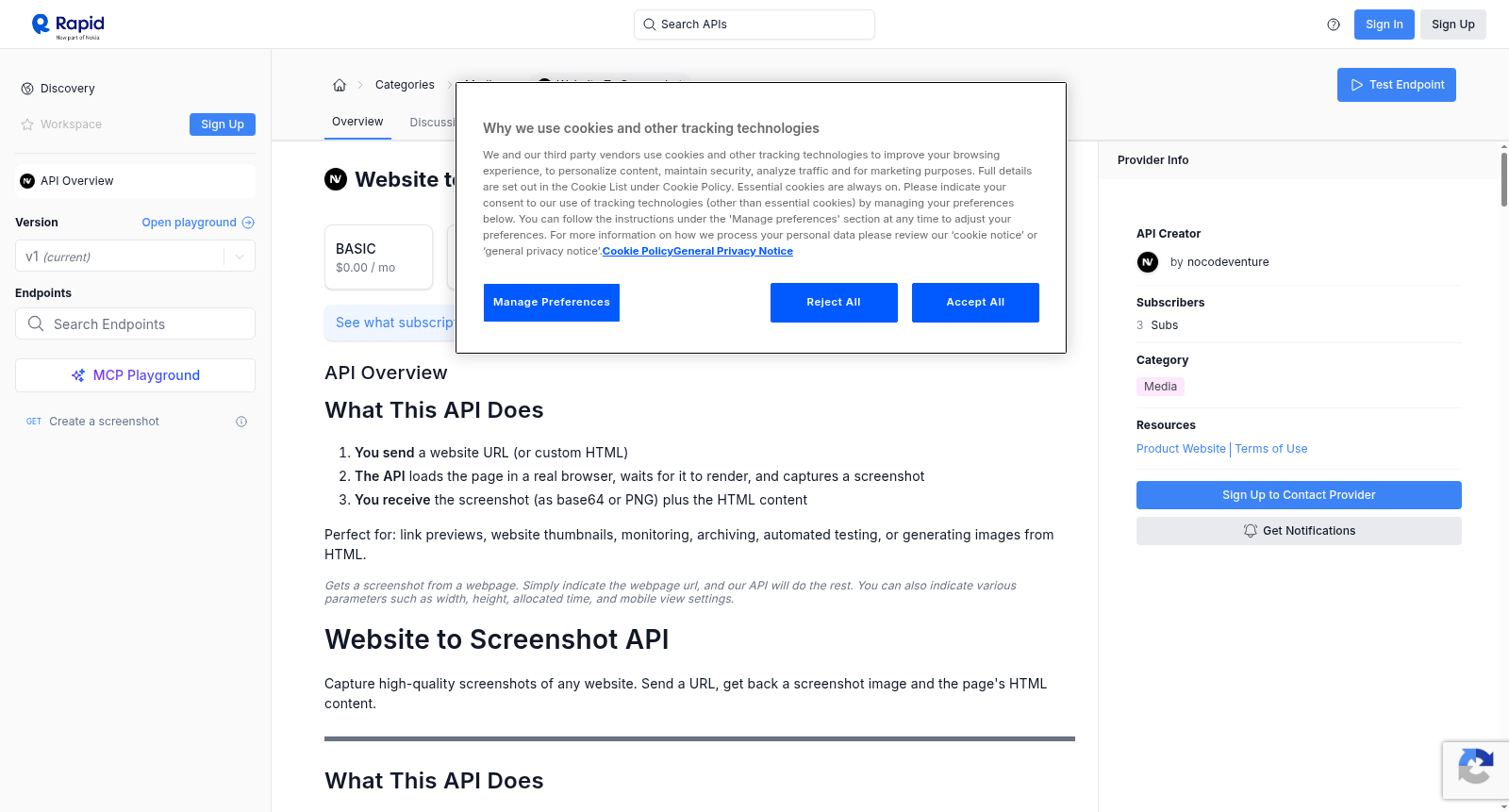
Website to Screenshot
收藏Website to Screenshot API 数据集概述
基本信息
- API名称: Website to Screenshot
- 类别: Media
- 提供者: nocodeventure
- 当前版本: v1
- 订阅者数量: 3
- 流行度: 9.3
- 服务等级: 69%
- 延迟: 4702ms
- 测试通过率: 100%
订阅计划
- BASIC: $0.00 / 月
- PRO: $5.00 / 月
- ULTRA: $10.00 / 月
- MEGA: $69.99 / 月
功能概述
该API用于捕获任何网站的高质量截图。发送一个URL,即可获取截图图像和页面的HTML内容。
- 用户发送网站URL(或自定义HTML)
- API在真实浏览器中加载页面,等待其渲染,并捕获截图
- 用户接收截图(作为base64或PNG)以及HTML内容
适用场景:链接预览、网站缩略图、监控、存档、自动化测试或从HTML生成图像。
端点
- 方法:
GET - 端点:
/ - 描述: 通过查询参数获取截图
- 备注: 也提供用于高级用例的POST端点(需联系支持人员)
核心参数
所有参数均作为查询字符串参数传递。
必需参数
| 参数 | 类型 | 必需 | 默认值 | 描述 | 示例 |
|---|---|---|---|---|---|
url |
string | 是 | — | 要截图的网站URL。如果缺少,自动添加https://。 |
url=github.com |
输出格式参数
| 参数 | 类型 | 必需 | 默认值 | 描述 | 示例 |
|---|---|---|---|---|---|
format |
string | 否 | base64 |
输出格式。base64返回包含编码图像的JSON。png返回原始二进制图像数据。 |
format=png |
fresh |
boolean | 否 | false |
绕过缓存并捕获新截图。 | fresh=true |
视口参数
控制浏览器窗口大小和设备模拟。
| 参数 | 类型 | 默认值 | 描述 | 示例 |
|---|---|---|---|---|
width |
number | 1920 |
浏览器窗口宽度(像素)。 | width=1280 |
height |
number | 1080 |
浏览器窗口高度(像素)。 | height=720 |
scale |
number | 1 |
像素密度。使用2或3用于视网膜/高DPI截图。值越高越清晰,但文件越大。 |
scale=2 |
isMobile |
boolean | false |
模拟移动设备。将宽度设置为390,高度设置为844,比例设置为3,启用触摸,并使用iPhone用户代理。 | isMobile=true |
hasTouch |
boolean | false |
启用触摸事件(适用于依赖触摸的网站)。 | hasTouch=true |
isLandscape |
boolean | false |
横向方向。 | isLandscape=true |
截图参数
控制捕获内容和方式。
| 参数 | 类型 | 默认值 | 描述 | 示例 |
|---|---|---|---|---|
fullPage |
boolean | false |
捕获整个可滚动页面,而不仅仅是可见视口。 | fullPage=true |
type |
string | png |
图像格式:png、jpeg或webp。 |
type=jpeg |
quality |
number | — | 图像质量,范围0-100。仅适用于jpeg或webp。 |
quality=80 |
omitBackground |
boolean | false |
使背景透明(仅PNG)。适用于捕获具有透明度的元素。 | omitBackground=true |
clip |
JSON | — | 仅捕获特定矩形区域。对JSON进行URL编码。 | clip={"x":0,"y":0,"width":800,"height":600} |
定时与等待参数
控制截图拍摄时间。
| 参数 | 类型 | 默认值 | 描述 | 示例 |
|---|---|---|---|---|
delay |
number | 0 |
页面加载后等待的毫秒数,然后进行捕获。适用于动画或延迟内容。 | delay=2000 |
actionTimeout |
number | 120000 |
浏览器操作的最长时间(毫秒)。 | actionTimeout=60000 |
waitForTimeout |
number | — | 在拍摄截图前等待的毫秒数。 | waitForTimeout=5000 |
gotoOptions |
JSON | — | 导航选项。对JSON进行URL编码。 | gotoOptions={"waitUntil":"networkidle0","timeout":30000} |
waitForSelector |
JSON | — | 在捕获前等待CSS选择器。对JSON进行URL编码。 | waitForSelector={"selector":"#main","visible":true} |
gotoOptions 值
| 字段 | 类型 | 默认值 | 描述 |
|---|---|---|---|
waitUntil |
string | domcontentloaded |
何时认为页面已加载:load、domcontentloaded、networkidle0(无网络)、networkidle2(≤2个连接) |
timeout |
number | 30000 |
等待页面加载的最长时间(毫秒) |
referer |
string | — | Referer头值 |
waitForSelector 值
| 字段 | 类型 | 描述 |
|---|---|---|
selector |
string | 要等待的CSS选择器 |
visible |
boolean | 等待元素可见 |
hidden |
boolean | 等待元素隐藏 |
timeout |
number | 最长等待时间(毫秒) |
页面行为参数
修改捕获前页面的行为。
| 参数 | 类型 | 默认值 | 描述 | 示例 |
|---|---|---|---|---|
scrollPage |
boolean | false |
在捕获前滚动整个页面。触发懒加载图像和内容。 | scrollPage=true |
hideCookieBanners |
boolean | false |
自动隐藏cookie同意弹窗和GDPR横幅。 | hideCookieBanners=true |
setJavaScriptEnabled |
boolean | true |
启用或禁用JavaScript执行。 | setJavaScriptEnabled=false |
emulateMediaType |
string | — | 模拟CSS媒体类型:print或screen。 |
emulateMediaType=print |
userAgent |
string | — | 自定义用户代理字符串。 | userAgent=Mozilla/5.0... |
bestAttempt |
boolean | false |
即使某些页面事件失败或超时也继续。 | bestAttempt=true |
注入自定义代码参数
在捕获前向页面添加自己的脚本或样式。对JSON值进行URL编码。
| 参数 | 类型 | 描述 | 示例 |
|---|---|---|---|
addScriptTag |
JSON | 注入JavaScript。{content}或{url}对象的数组。 |
addScriptTag=[{"content":"document.body.style.zoom=80%"}] |
addStyleTag |
JSON | 注入CSS。{content}或{url}对象的数组。 |
addStyleTag=[{"content":".ads{display:none}"}] |
setExtraHTTPHeaders |
JSON | 向所有请求添加自定义HTTP头。 | setExtraHTTPHeaders={"Accept-Language":"fr-FR"} |
认证参数
访问受保护的页面。对JSON值进行URL编码。
| 参数 | 类型 | 描述 | 示例 |
|---|---|---|---|
authenticate |
JSON | HTTP基本认证凭据。 | authenticate={"username":"admin","password":"secret"} |
cookies |
JSON | 加载前要设置的cookie数组。 | cookies=[{"name":"session","value":"abc123","domain":"example.com"}] |
Cookie 字段
| 字段 | 类型 | 必需 | 描述 |
|---|---|---|---|
name |
string | 是 | Cookie名称 |
value |
string | 是 | Cookie值 |
domain |
string | 否 | Cookie适用的域 |
path |
string | 否 | Cookie适用的路径 |
secure |
boolean | 否 | 仅HTTPS |
httpOnly |
boolean | 否 | 无法通过JavaScript访问 |
sameSite |
string | 否 | Strict、Lax或None |
expires |
number | 否 | Cookie过期的Unix时间戳 |
请求过滤参数
控制加载哪些资源(加速捕获,阻止不需要的内容)。
| 参数 | 类型 | 描述 | 示例 |
|---|---|---|---|
rejectResourceTypes |
JSON | 阻止加载这些资源类型。 | rejectResourceTypes=["image","media","font"] |
rejectRequestPattern |
JSON | 阻止匹配这些正则表达式模式的URL。 | rejectRequestPattern=["analytics","tracking"] |
allowResourceTypes |
JSON | 仅允许这些资源类型。 | allowResourceTypes=["document","stylesheet","script"] |
allowRequestPattern |
JSON | 仅允许匹配这些模式的URL。 | allowRequestPattern=["^https://example\.com"] |
资源类型:document、stylesheet、image、media、font、script、xhr、fetch、websocket、other
响应
JSON响应(默认,format=base64)
json { "screenshot": "iVBORw0KGgoAAAANSUhEUgAA...", "content": "<!DOCTYPE html><html>...</html>", "url": "https://example.com", "viewport": { "width": 1920, "height": 1080 }, "cachedAt": "2024-01-15T10:30:00.000Z", "expiresAt": "2024-01-15T10:31:00.000Z" }
| 字段 | 描述 |
|---|---|
screenshot |
Base64编码的PNG图像。解码以获取图像字节。 |
content |
页面的完整HTML源代码。 |
url |
最终URL(重定向后)。 |
viewport |
使用的视口尺寸。 |
cachedAt |
此结果被缓存的时间。 |
expiresAt |
缓存过期时间(1分钟)。 |
PNG响应(format=png)
原始PNG二进制数据。直接保存到文件或在<img>标签中显示。
示例请求
- 简单请求:
GET /?url=github.com - 移动端全页截图:
GET /?url=twitter.com&isMobile=true&fullPage=true - 高分辨率带延迟:
GET /?url=apple.com&width=1920&height=1080&scale=2&delay=2000 - 获取原始PNG图像:
GET /?url=example.com&format=png - JPEG带质量设置(较小文件大小):
GET /?url=example.com&type=jpeg&quality=85&format=png - 隐藏Cookie横幅,滚动懒加载内容:
GET /?url=example.com&hideCookieBanners=true&scrollPage=true&fullPage=true - 快速捕获(阻止图像和跟踪):
GET /?url=example.com&rejectResourceTypes=["image","media","font"]&rejectRequestPattern=["analytics","tracking"] - 等待动态内容:
GET /?url=example.com&gotoOptions={"waitUntil":"networkidle0"}&waitForSelector={"selector":"#loaded","visible":true} - 捕获特定区域:
GET /?url=example.com&clip={"x":100,"y":200,"width":600,"height":400} - 打印友好版本:
GET /?url=example.com&emulateMediaType=print&fullPage=true
错误代码
| 代码 | 含义 |
|---|---|
200 |
成功 |
400 |
错误请求 — 缺少url或参数无效 |
401 |
未授权 |
500 |
截图失败 — 检查错误消息 |
错误响应格式: json { "error": "Description of what went wrong" }
完整示例(所有参数)
GET /?url=example.com &format=base64 &fresh=true &width=1920 &height=1080 &scale=2 &isMobile=false &hasTouch=false &isLandscape=false &fullPage=true &type=jpeg &quality=80 &omitBackground=false &clip={"x":0,"y":0,"width":800,"height":600} &delay=2000 &actionTimeout=60000 &waitForTimeout=5000 &gotoOptions={"waitUntil":"networkidle0","timeout":30000,"referer":"https://google.com"} &waitForSelector={"selector":"#main-content","visible":true,"timeout":10000} &scrollPage=true &hideCookieBanners=true &bestAttempt=true &setJavaScriptEnabled=true &emulateMediaType=screen &userAgent=Mozilla/5.0 (Windows NT 10.0; Win64; x64) AppleWebKit/537.36 &setExtraHTTPHeaders={"Accept-Language":"en-US","X-Custom-Header":"value"} &addScriptTag=[{"content":"document.body.style.zoom=90%"}] &addStyleTag=[{"content":".ads,.popup{display:none!important}"}] &authenticate={"username":"admin","password":"secret123"} &cookies=[{"name":"session_id","value":"abc123xyz","domain":"example.com","path":"/","secure":true,"httpOnly":true,"sameSite":"Lax"}] &rejectResourceTypes=["media","font"] &rejectRequestPattern=["analytics","tracking","ads"] &allowResourceTypes=["document","stylesheet","script","image","xhr","fetch"] &allowRequestPattern=["^https://example.com.*"]
备注:在实际请求中对JSON参数进行URL编码。以上示例为便于阅读而格式化。