
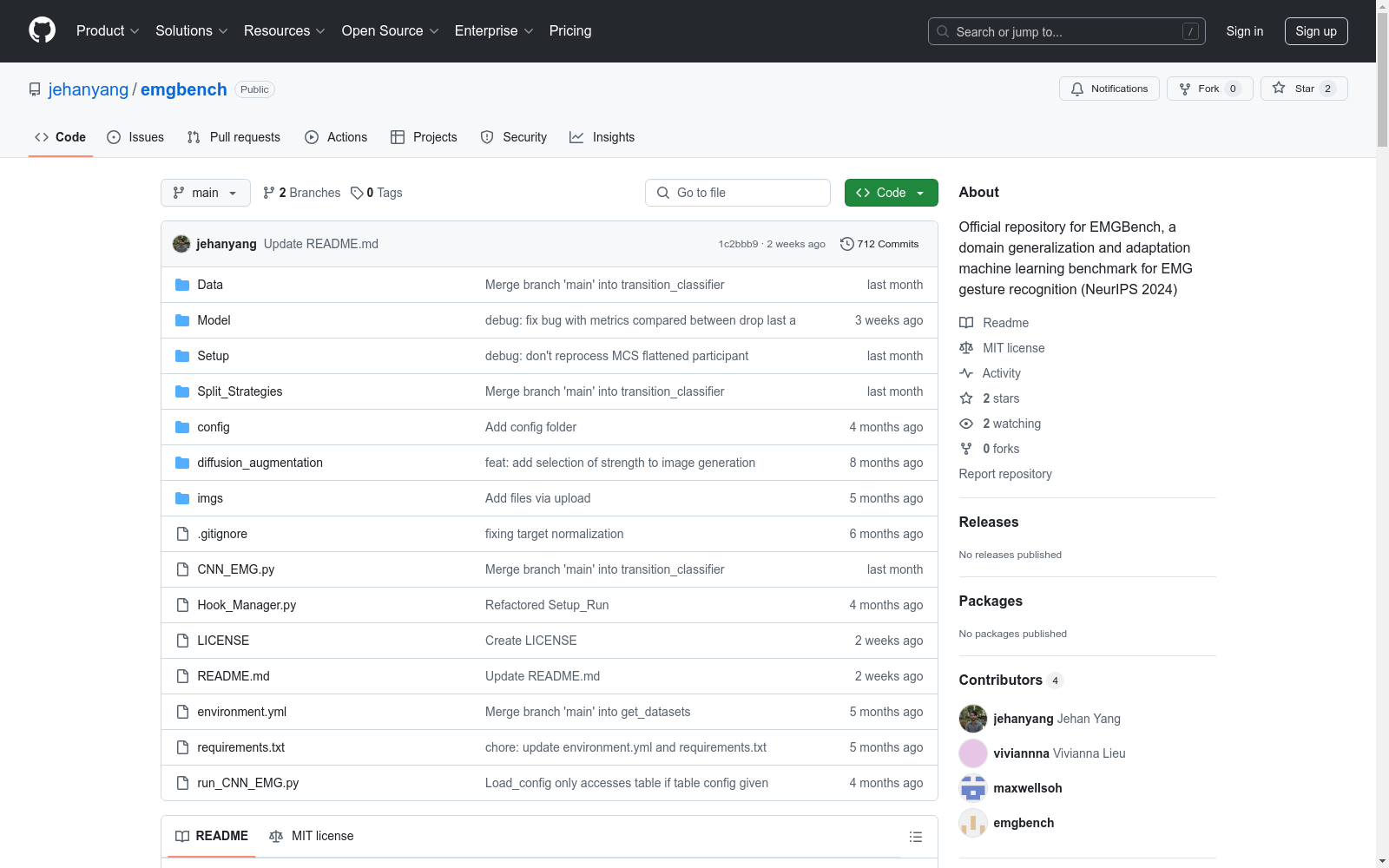
EMGBench
收藏EMGBench: Benchmarking Out-of-Distribution Generalization and Adaptation for Electromyography
数据集概述
EMGBench 是一个用于评估肌电图(Electromyography, EMG)数据集在分布外泛化和适应能力的基准测试工具。该数据集由多个子数据集组成,包括:
- capgmyo
- hyser
- myoarmbanddataset
- ninapro-db5
- uciemg
- flexwear-hd
数据集使用
安装与设置
-
安装 Miniforge 版本
>= Miniforge3-22.3.1-0。 -
在 Linux x86_64 (amd64) 架构上运行,推荐使用 Ubuntu 20.04。
-
安装必要的软件包: console $ sudo apt update $ sudo apt install git jq git-lfs
-
创建并激活虚拟环境: console $ git clone https://github.com/maxwellsoh/emgBenchmarking.git $ cd emgBenchmarking/ $ git lfs install $ mamba env create -n emgbench -f environment.yml $ conda activate emgbench
基准测试数据集
CNN_EMG.py会自动下载所需的每个运行的数据集。- Hyser 数据集可能需要数小时下载。
复制表格
使用配置文件
-
配置数据集和其他参数,使用位于
./config/table{i}.yaml的 YAML 文件。 -
配置完成后运行:
python run_CNN_EMG.py --table{i}
手动运行
-
复制第一个表格,运行以下 shell 脚本:
starting_index=1 ending_index=10 # set to the maximum number of participants for the dataset current_dataset=capgmyo # set to the dataset you want to run with number_windows=50 # set to 1/20 of sampling rate or 1/16 of sampling rate for Hyser
for subj in $(seq $starting_index $ending_index) do python CNN_EMG.py --dataset=$current_dataset --seed=0 --model=resnet18 --epochs=100 --project_name_suffix=__preprocessing-comparison --turn_off_scaler_normalization=True --leftout_subject=$subj --leave_one_subject_out=True --transfer_learning=True --train_test_split_for_time_series=True --save_images=True --learning_rate=5e-4 --proportion_transfer_learning=0.2 --proportion_data_from_training_subjects=1.0 --finetuning_epochs=750 --pretrain_and_finetune=True --partial_dataset_ninapro=True; python CNN_EMG.py --dataset=$current_dataset --seed=0 --model=resnet18 --epochs=100 --project_name_suffix=__preprocessing-comparison --turn_off_scaler_normalization=True --leftout_subject=$subj --leave_one_subject_out=True --transfer_learning=True --train_test_split_for_time_series=True --save_images=True --learning_rate=5e-4 --proportion_transfer_learning=0.2 --proportion_data_from_training_subjects=1.0 --turn_on_rms=True --rms_input_windowsize=$number_windows --finetuning_epochs=750 --pretrain_and_finetune=True --partial_dataset_ninapro=True; python CNN_EMG.py --dataset=$current_dataset --seed=0 --model=resnet18 --epochs=100 --project_name_suffix=__preprocessing-comparison --turn_off_scaler_normalization=True --leftout_subject=$subj --leave_one_subject_out=True --transfer_learning=True --train_test_split_for_time_series=True --save_images=True --learning_rate=5e-4 --proportion_transfer_learning=0.2 --proportion_data_from_training_subjects=1.0 --turn_on_spectrogram=True --finetuning_epochs=750 --pretrain_and_finetune=True --partial_dataset_ninapro=True; python CNN_EMG.py --dataset=$current_dataset --seed=0 --model=resnet18 --epochs=100 --project_name_suffix=__preprocessing-comparison --turn_off_scaler_normalization=True --leftout_subject=$subj --leave_one_subject_out=True --transfer_learning=True --train_test_split_for_time_series=True --save_images=True --learning_rate=5e-4 --proportion_transfer_learning=0.2 --proportion_data_from_training_subjects=1.0 --turn_on_cwt=True --finetuning_epochs=750 --pretrain_and_finetune=True --partial_dataset_ninapro=True; wait done
-
复制第二个表格,运行以下 shell 脚本:
starting_index=1 ending_index=10 # set to the maximum number of participants for the dataset current_dataset=capgmyo # set to the dataset you want to run with preprocessing="--turn_on_cwt=True" # set to "" for raw, "--turn_on_cwt=True" for cwt, or "--turn_on_spectrogram=True" for stft depending on which preprocessing method was the best for the dataset
for subj in $(seq $starting_index $ending_index) do python CNN_EMG.py --dataset=$current_dataset $preprocessing --seed=0 --model=resnet18 --epochs=50 --project_name_suffix=__model-comparison_one-session --turn_off_scaler_normalization=True --leftout_subject=$subj --leave_one_subject_out=True --transfer_learning=True --train_test_split_for_time_series=True --save_images=True --learning_rate=5e-4 --proportion_transfer_learning=0.2 --proportion_data_from_training_subjects=1.0 --finetuning_epochs=375 --pretrain_and_finetune=True --partial_dataset_ninapro=True; python CNN_EMG.py --dataset=$current_dataset $preprocessing --seed=0 --model=vit_tiny_patch16_224 --epochs=50 --project_name_suffix=__model-comparison_one-session --turn_off_scaler_normalization=True --leftout_subject=$subj --leave_one_subject_out=True --transfer_learning=True --train_test_split_for_time_series=True --save_images=True --learning_rate=5e-4 --proportion_transfer_learning=0.2 --proportion_data_from_training_subjects=1.0 --finetuning_epochs=375 --pretrain_and_finetune=True --partial_dataset_ninapro=True; python CNN_EMG.py --dataset=$current_dataset $preprocessing --seed=0 --model=efficientnet_b0 --epochs=50 --project_name_suffix=__model-comparison_one-session --turn_off_scaler_normalization=True --leftout_subject=$subj --leave_one_subject_out=True --transfer_learning=True --train_test_split_for_time_series=True --save_images=True --learning_rate=5e-4 --proportion_transfer_learning=0.2 --proportion_data_from_training_subjects=1.0 --finetuning_epochs=375 --pretrain_and_finetune=True --partial_dataset_ninapro=True; python CNN_EMG.py --dataset=$current_dataset $preprocessing --seed=0 --model=efficientvit_b0 --epochs=50 --project_name_suffix=__model-comparison_one-session --turn_off_scaler_normalization=True --leftout_subject=$subj --leave_one_subject_out=True --transfer_learning=True --train_test_split_for_time_series=True --save_images=True --learning_rate=5e-4 --proportion_transfer_learning=0.2 --proportion_data_from_training_subjects=1.0 --finetuning_epochs=375 --pretrain_and_finetune=True --partial_dataset_ninapro=True; wait done
-
复制第三个表格的比例,运行以下 shell 脚本:
starting_index=1 ending_index=10 # set to the maximum number of participants for the dataset current_dataset=capgmyo # set to the dataset you want to run with preprocessing="--turn_on_cwt=True" # set to "" for raw, "--turn_on_cwt=True" for cwt, or "--turn_on_spectrogram=True" for stft depending on which preprocessing method was the best for the dataset best_model=resnet18 # set to the model that performed best for the dataset
for subj in $(seq $starting_index $ending_index) do python CNN_EMG.py --dataset=$current_dataset --seed=0 --model=$best_model $preprocessing --epochs=50 --project_name_suffix=__proportion-comparison --turn_off_scaler_normalization=True --leftout_subject=$subj --leave_one_subject_out=True --transfer_learning=True --train_test_split_for_time_series=True --save_images=True --learning_rate=5e-4 --proportion_transfer_learning=0.2 --proportion_data_from_training_subjects=1.0 --finetuning_epochs=375 --pretrain_and_finetune=True --partial_dataset_ninapro=True; python CNN_EMG.py --dataset=$current_dataset --seed=0 --model=$best_model $preprocessing --epochs=50 --project_name_suffix=__proportion-comparison --turn_off_scaler_normalization=True --leftout_subject=$subj --leave_one_subject_out=True --transfer_learning=True --train_test_split_for_time_series=True --save_images=True --learning_rate=5e-4 --proportion_transfer_learning=0.4 --proportion_data_from_training_subjects=1.0 --finetuning_epochs=375 --pretrain_and_finetune=True --partial_dataset_ninapro=True; python CNN_EMG.py --dataset=$current_dataset --seed=0 --model=$best_model $preprocessing --epochs=50 --project_name_suffix=__proportion-comparison --turn_off_scaler_normalization=True --leftout_subject=$subj --leave_one_subject_out=True --transfer_learning=True --train_test_split_for_time_series=True --save_images=True --learning_rate=5e-4 --proportion_transfer_learning=0.6 --proportion_data_from_training_subjects=1.0 --finetuning_epochs=375 --pretrain_and_finetune=True --partial_dataset_ninapro=True; python CNN_EMG.py --dataset=$current_dataset --seed=0 --model=$best_model $preprocessing --epochs=50 --project_name_suffix=__proportion-comparison --turn_off_scaler_normalization=True --leftout_subject=$subj --leave_one_subject_out=True --transfer_learning=True --train_test_split_for_time_series=True --save_images=True --learning_rate=5e-4 --proportion_transfer_learning=0.8 --proportion_data_from_training_subjects=1.0 --finetuning_epochs=375 --pretrain_and_finetune=True --partial_dataset_ninapro=True; wait done
-
对于具有多个会话的数据集,运行以下 shell 脚本:
starting_index=1 ending_index=10 # set to the maximum number of participants for the dataset current_dataset=capgmyo # set to the dataset you want to run with preprocessing="--turn_on_cwt=True" # set to "" for raw, "--turn_on_cwt=True" for cwt, or "--turn_on_spectrogram=True" for stft depending on which preprocessing method was the best for the dataset best_model=resnet18 # set to the model that performed best for the dataset
for subj in $(seq $starting_index $ending_index) do python CNN_EMG.py --dataset=$current_dataset --seed=0 --model=$best_model $preprocessing --epochs=50 --project_name_suffix=__intersession-comparison --turn_off_scaler_normalization=True --leftout_subject=$subj --leave_one_subject_out=True --leave_one_session_out=True --train_test_split_for_time_series=True --save_images=True --learning_rate=5e-4 --proportion_data_from_training_subjects=1.0 --finetuning_epochs=375 --pretrain_and_finetune=True --partial_dataset_ninapro=True --proportion_unlabeled_data_from_leftout_subject=0.75; wait done
数据集自定义
添加数据集
- 新数据集可以通过
CNN_EMG.py进行基准测试,前提是将其处理为 HDF5 文件并保存到以下目录:DatasetsProcessed_hdf5/[DATASET-NAME]/p[N]/participant_[N].hdf5,其中N是参与者的编号,范围从 1 到参与者的数量。 - 每个 HDF5 文件的键应该是每个手势的名称,每个手势的数据应以形状
[# TRIALS, # ELECTRODES, # TIMESTEPS]存储。 - 创建一个文件
DatasetsProcessed_hdf5/[DATASET-NAME]/frequency.txt,仅包含数据集的频率(以 Hz 为单位)。
创建自定义运行
-
run_CNN_EMG.py也接受配置文件。创建一个新的 yaml 文件并运行:python run_CNN_EMG.py --config config/example.yaml
故障排除
-
如果遇到
OSError: [Errno 24] Too many open files错误,运行以下命令: console $ ulimit -n 65536 -
如果遇到以下错误:
The above exception was the direct cause of the following exception:
Traceback (most recent call last): File "/home/jehan/emgBenchmarking/CNN_EMG.py", line 486, in <module> emg = emg_async.get() # (SUBJECT, TRIAL, CHANNEL, TIME) File "/home/jehan/miniforge3/envs/emgbench/lib/python3.9/multiprocessing/pool.py", line 771, in get raise self._value OSError: Unable to synchronously open file (file signature not found)
可能未安装
git-lfs,请安装并重试。
开发
-
更新虚拟环境: console $ mamba env update --file environment.yml --prune
-
保存虚拟环境: console $ mamba env export --no-builds > environment.yml
- 1EMGBench: Benchmarking Out-of-Distribution Generalization and Adaptation for Electromyography卡内基梅隆大学 · 2024年



