
TOMATO
收藏魔搭社区2025-12-05 更新2025-02-01 收录
下载链接:
https://modelscope.cn/datasets/yale-nlp/TOMATO
下载链接
链接失效反馈官方服务:
资源简介:
# 🍅 TOMATO
[**📄 Paper**](https://arxiv.org/abs/2410.23266) | [**💻 Code**](https://github.com/yale-nlp/TOMATO) | [**🎬 Videos**](https://drive.google.com/file/d/1-dNt9bZcp6C3RXuGoAO3EBgWkAHg8NWR/view?usp=drive_link)
This repository contains the QAs of the following paper:
>🍅 TOMATO: Assessing Visual Temporal Reasoning Capabilities in Multimodal Foundation Models <br>
>[Ziyao Shangguan](https://ziyaosg.github.io/)\*<sup>1</sup>,
[Chuhan Li](https://LeeChuh.github.io)\*<sup>1</sup>,
[Yuxuan Ding](https://scholar.google.com/citations?user=jdsf4z4AAAAJ)<sup>1</sup>,
[Yanan Zheng](https://scholar.google.com/citations?user=0DqJ8eIAAAAJ)<sup>1</sup>,
[Yilun Zhao](https://yilunzhao.github.io/)<sup>1</sup>,
[Tesca Fitzgerald](https://www.tescafitzgerald.com/)<sup>1</sup>,
[Arman Cohan](https://armancohan.com/)<sup>1</sup><sup>2</sup> <br>
>*Equal contribution. <br>
><sup>1</sup>Yale University <sup>2</sup>Allen Institute of AI <sup>
## TOMATO - A Visual Temporal Reasoning Benchmark

### Introduction
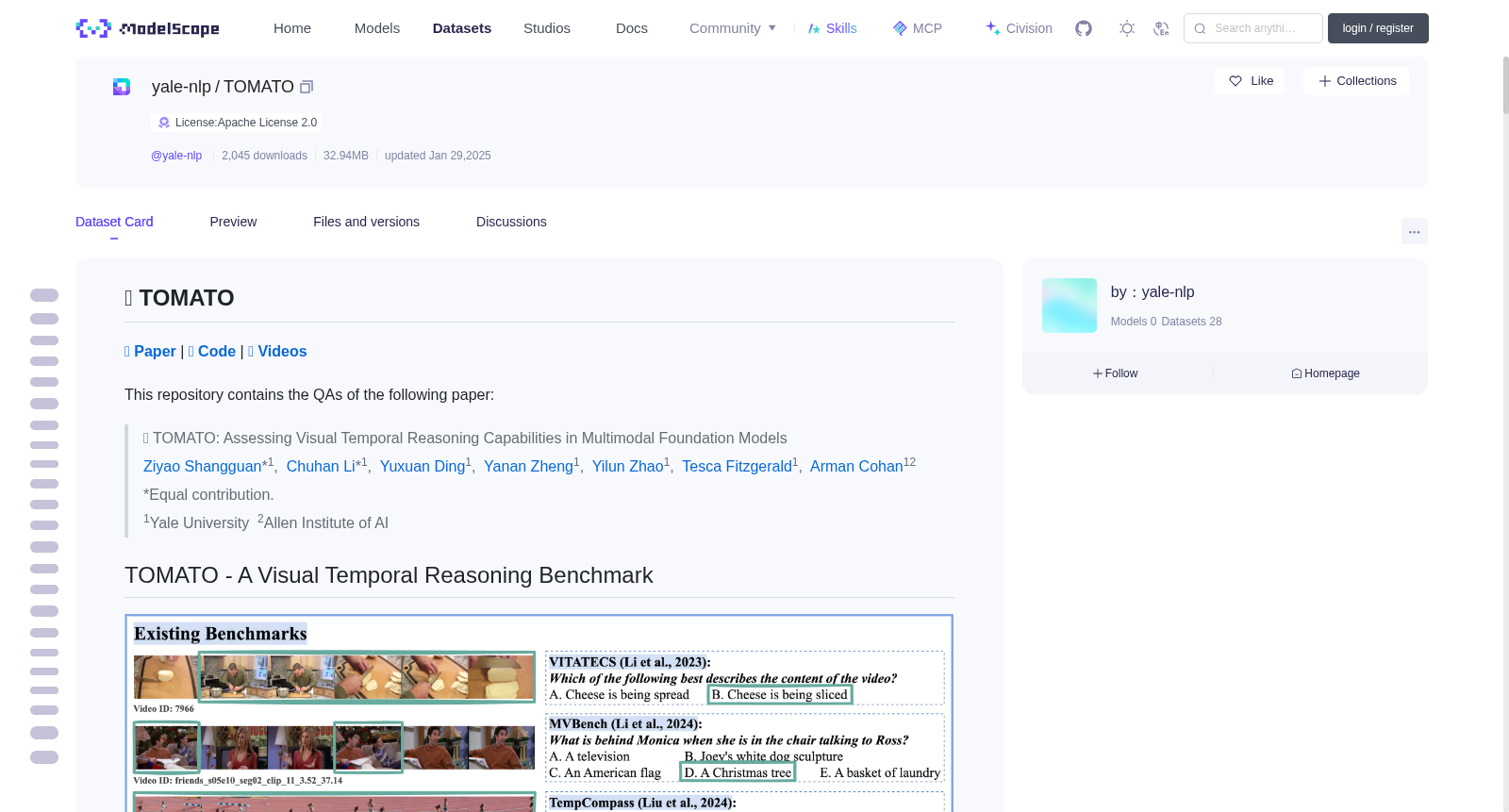
Our study of existing benchmarks shows that visual temporal reasoning capabilities of Multimodal Foundation Models (MFMs) are likely overestimated as many questions can be solved by using a single, few, or out-of-order frames. To systematically examine current visual temporal reasoning tasks, we propose three principles with corresponding metrics: (1) *Multi-Frame Gain*, (2) *Frame Order Sensitivity*, and (3) *Frame Information Disparity*.
Following these principles, we introduce TOMATO, a novel benchmark crafted to rigorously assess MFMs' temporal reasoning capabilities in video understanding. TOMATO comprises 1,484 carefully curated, human-annotated questions spanning 6 tasks (i.e. *action count*, *direction*, *rotation*, *shape&trend*, *velocity&frequency*, and *visual cues*), applied to 1,417 videos, including 805 self-recorded and -generated videos, that encompass 3 video scenarios (i.e. *human-centric*, *real-world*, and *simulated*). In the 805 self-created videos, we apply editing to incorporate *counterfactual scenes*, *composite motions*, and *zoomed-in* views, aiming to investigate the impact of these characteristics on the performance of MFMs.
### Task Examples

>What direction(s) does the Ping Pong ball rotate in? <br>
>A. Clockwise throughout. <br>
>B. No rotation. <br>
>C. Clockwise then counter-clockwise. <br>
>D. Counter-clockwise throughout. <br>
>E. Counter-clockwise then clockwise. <br>
>
>Answer: D. Counter-clockwise throughout. <br>

>What is the pattern of the object’s speed in the video? <br>
>A. Not moving at all. <br>
>B. Constant speed. <br>
>C. Decelerating. <br>
>D. Accelerating. <br>
>
>Answer: C. Decelerating.
 <br>
>What instruction did the person give to the camera in the video? <br>
>A. Moving Down. <br>
>B. Moving Left. <br>
>C. Moving Further. <br>
>D. Moving Closer. <br>
>E. Moving Right. <br>
>F. Moving Up. <br>
>
>Answer: E. Moving Right.
 <br>
>How many triangle(s) does the person draw in the air throughout the entire video? <br>
>A. 0 <br>
>B. 1 <br>
>C. 2 <br>
>D. 3 <br>
>E. 4 <br>
>F. 5 <br>
>
>Answer: E. 4
### Analysis Highlight

Our in-depth error case analysis reveals that **models lack the basic ability to interpret frames as a continuous sequence**. In the example, while GPT-4o correctly generates captions for each consecutive change in the moon's movement, showcasing its ability to reason at individual time steps, it still fails to infer based on the captions that the overall sequence represents a clockwise rotation and falsely concludes that it is a counter-clockwise rotation.
For more detailed error case analysis, please refer to Section 6.3 in our paper.
## Dataset and Evaluation
### 1. Setup
```bash
git clone https://github.com/yale-nlp/TOMATO
cd TOMATO
```
Download the [videos](https://drive.google.com/file/d/1-dNt9bZcp6C3RXuGoAO3EBgWkAHg8NWR/view?usp=drive_link) and unzip into the /TOMATO directory
<details>
<summary>After downloading the videos, your file structure should look like this.</summary>
```
.
├── data/
├── src/
├── videos/
│ ├── human/
│ ├── object/
│ ├── simulated/
```
</details>
#### 1.1 Proprietary Models
To install the required packages for evaluating proprietary models, run:
```bash
pip install openai # GPT
pip install google-generativeai # Gemini
pip install anthropic # Claude
pip install reka-api==2.0.0 # Reka
```
Create a `.env` file in the root directory with the following format:
```
OPENAI_API_KEY="your_openai_api_key"
GEMINI_API_KEY="your_gemini_api_key"
ANTHROPIC_API_KEY="your_anthropic_api_key"
REKA_API_KEY="your_reka_api_key"
```
#### 1.2 Open-sourced Models
Create a directory named `pretrained` in the root of TOMATO to store open-sourced models. For example, to download `Qwen-2-VL-7B` model, run the following command:
```bash
mkdir pretrained && cd pretrained
huggingface-cli download
--resume-download
--local-dir-use-symlinks False Qwen/Qwen2-VL-7B-Instruct
--local-dir Qwen2-VL-7B-Instruct
```
<details>
<summary>After downloading open-sourced models, your file structure should look like this.</summary>
```
.
├── data/
├── src/
├── videos/
├── pretrained/
│ ├── Qwen2-VL-7B-Instruct/
│ ├── ...
```
</details>
<br>
**Note**: To use `Video-CCAM`, `LLaVA-NeXT`, `Video-LLaVA`, `VideoLLaMA2`, and `VILA`, follow additional instructions below. <br>
Clone their repositories into the `./src/generate_lib/` directory. Run the following commands:
```bash
cd ./src/generate_lib
git clone git@github.com:QQ-MM/Video-CCAM.git # Video-CCAM
git clone git@github.com:LLaVA-VL/LLaVA-NeXT.git # LLaVA-NeXT
git clone git@github.com:DAMO-NLP-SG/VideoLLaMA2.git # VideoLLaMA2
git clone git@github.com:PKU-YuanGroup/Video-LLaVA.git # Video-LLaVA
git clone git@github.com:NVlabs/VILA.git # VILA
```
After cloning, rename the directories by replacing hyphens (`-`) with underscores (`_`):
```bash
mv Video-CCAM Video_CCAM
mv LLaVA-NeXT LLaVA_NeXT
mv Video-LLaVA Video_LLaVA
```
### 2. Evaluation
To run evaluation with a model:
```bash
python src/evaluate.py
--model $model_name
--reasoning_type ALL
--demonstration_type ALL
--total_frames $total_frames
```
All supported models are listed [here](https://github.com/yale-nlp/TOMATO/blob/2161ce9a98291ce4fcb7aff9a531d10502bf5b10/src/config.json#L2-L62). To evaluate additional models, please refer to the next section.<br>
[This](https://github.com/yale-nlp/TOMATO/blob/2161ce9a98291ce4fcb7aff9a531d10502bf5b10/src/config.json#L63-L70) is a list of models that take in videos directly and any specified `total_frames` will be ignore. <br>
You can specify a subset of `reasoning_type` and `demonstration_type` using a comma-seperated list. [These](https://github.com/yale-nlp/TOMATO/blob/2161ce9a98291ce4fcb7aff9a531d10502bf5b10/src/config.json#L71-83) are the lists of valid choices.
### 3. Result Parsing
When our standard parser using regular expression fails, we employ `GPT-4o-mini` to extract answers from model response. To use the parser:
```bash
python src/parse_result.py
```
**Note**: This parser is designed to be incremental. It only parses additional raw model responses while leaving the already parsed results unchanged.
### 4. Display Categorized Scores
Scores are grouped by `model`, `reasoning_type`+`model`, and `demonstration_type`+`model`. To display scores:
```bash
python src/get_categorized_score.py
```
## Evaluate Additional Models
Our evaluation scripts are designed for the ease of adding additional models, simply:
### 1. Add Model to Config File
Add `model_family` and `model_name` to `src/config.json` like below:
```json
{
"models": {
"{model_family}": [
"{model_name}",
"..."
]
```
### 2. Add Model Evaluation Code
Create the corresponding `{model_family}.py` file under `src/generate_lib` with the starter code below:
```python
from generate_lib.constant import GENERATION_TEMPERATURE, GENERATION_TOP_P, SYSTEM_PROMPT, MAX_TOKENS, GENERATION_SEED
from generate_lib.construct_prompt import construct_prompt
from generate_lib.utils import read_video
def generate_response(model_name: str, queries: list, total_frames: int, output_dir: str):
# initialize your model
model = ...
for query in queries:
id_ = query['id']
question = query['question']
gt = optionized_list[query['answer']]
# construct prompt
base64Frames, _ = read_video(video_path=video_path, total_frames=total_frames)
prompt, all_choices, index2ans = construct_prompt(question=question,
options=options,
num_frames=total_frames)
# generate response
response = model(...)
# save model response in default format to use our result parser
with open(output_dir, "a") as f:
f.write(json.dumps(
{
"id": id_,
"question": question,
"response": response,
"all_choices": all_choices,
"index2ans": index2ans,
'gt': gt
}
) + "\n")
```
## Experiments
### 1. Comparison with Existing Benchmarks
#### 1.1 Multi-Frame Gain ($\kappa$): a *higher* value indicates the task is less solvable by a single frame.


#### 1.2 Frame Order Sensitivity ($\tau$): a *higher* value indicates the task is more reliant on the correct order of frames.

#### 1.3 Frame Information Parity ($\rho$): a *lower* value indicates information is more evenly distributed across the frames.

### 2. Leaderboard
We evaluate general-purpose MFMs on TOMATO, with all models tested in a zero-shot setting. The scores below are represented percentage accuracy (\%).

# Contact
If you have any questions or suggestions, please don't hesitate to let us know. You can post an issue on this repository, or contact us directly at:
- Ziyao Shangguan: ziyao.shangguan@yale.edu
- Chuhan Li: chuhan.li.cl2575@yale.edu
# Citation
If you find 🍅TOMATO useful for your research and applications, please cite using this BibTex:
```bibtex
@misc{shangguan2024tomatoassessingvisualtemporal,
title={TOMATO: Assessing Visual Temporal Reasoning Capabilities in Multimodal Foundation Models},
author={Ziyao Shangguan and Chuhan Li and Yuxuan Ding and Yanan Zheng and Yilun Zhao and Tesca Fitzgerald and Arman Cohan},
year={2024},
eprint={2410.23266},
archivePrefix={arXiv},
primaryClass={cs.CV},
url={https://arxiv.org/abs/2410.23266},
}
```
# 🍅 TOMATO
[**📄 论文**](https://arxiv.org/abs/2410.23266) | [**💻 代码**](https://github.com/yale-nlp/TOMATO) | [**🎬 视频**](https://drive.google.com/file/d/1-dNt9bZcp6C3RXuGoAO3EBgWkAHg8NWR/view?usp=drive_link)
本仓库包含下述论文对应的问答数据集:
> 🍅 TOMATO:评估多模态基础模型的视觉时序推理能力 <br>
> [上官梓尧](https://ziyaosg.github.io)*<sup>1</sup>,
> [李楚涵](https://LeeChuh.github.io)*<sup>1</sup>,
> [丁宇轩](https://scholar.google.com/citations?user=jdsf4z4AAAAJ)<sup>1</sup>,
> [郑亚楠](https://scholar.google.com/citations?user=0DqJ8eIAAAAJ)<sup>1</sup>,
> [赵奕伦](https://yilunzhao.github.io/)<sup>1</sup>,
> [Tesca Fitzgerald](https://www.tescafitzgerald.com/)<sup>1</sup>,
> [Arman Cohan](https://armancohan.com/)<sup>1</sup><sup>2</sup> <br>
> * 共同第一作者。 <br>
> <sup>1</sup>耶鲁大学 <sup>2</sup>艾伦人工智能研究所 <sup>
## TOMATO - 视觉时序推理基准数据集

### 简介
我们对现有基准的调研显示,多模态基础模型(Multimodal Foundation Models,MFMs)的视觉时序推理能力可能被高估了——许多问题仅通过单帧、少量帧或乱序帧即可解答。为系统性评估当前的视觉时序推理任务,我们提出了三项原则及对应评测指标:(1) **多帧增益(Multi-Frame Gain)**,(2) **帧顺序敏感性(Frame Order Sensitivity)**,(3) **帧信息差异度(Frame Information Disparity)**。
基于上述原则,我们推出了TOMATO——一个专为严谨评估多模态基础模型视频理解中的时序推理能力而设计的全新基准数据集。TOMATO包含1484条经人工精心标注的问答样本,涵盖6类任务:**动作计数(action count)**、**方向判断(direction)**、**旋转方向(rotation)**、**形状与趋势(shape&trend)**、**速度与频率(velocity&frequency)**以及**视觉线索(visual cues)**,这些样本对应1417个视频,其中包括805条自行录制与生成的视频,覆盖3类视频场景:**以人为中心(human-centric)**、**真实场景(real-world)**以及**模拟场景(simulated)**。在这805条自制视频中,我们通过编辑加入了**反事实场景(counterfactual scenes)**、**复合动作(composite motions)**以及**放大视角(zoomed-in views)**,旨在探究这些特性对多模态基础模型性能的影响。
### 任务示例

> 该乒乓球的旋转方向是? <br>
> A. 全程顺时针旋转。 <br>
> B. 无旋转。 <br>
> C. 先顺时针后逆时针。 <br>
> D. 全程逆时针旋转。 <br>
> E. 先逆时针后顺时针。 <br>
>
> 答案:D. 全程逆时针旋转。 <br>

> 该视频中物体的速度变化模式是? <br>
> A. 完全静止。 <br>
> B. 速度恒定。 <br>
> C. 减速运动。 <br>
> D. 加速运动。 <br>
>
> 答案:C. 减速运动。
 <br>
> 该视频中人物对镜头做出了什么指令动作? <br>
> A. 向下移动。 <br>
> B. 向左移动。 <br>
> C. 远离镜头。 <br>
> D. 靠近镜头。 <br>
> E. 向右移动。 <br>
> F. 向上移动。 <br>
>
> 答案:E. 向右移动。
 <br>
> 整个视频中,该人物在空中绘制了多少个三角形? <br>
> A. 0 <br>
> B. 1 <br>
> C. 2 <br>
> D. 3 <br>
> E. 4 <br>
> F. 5 <br>
>
> 答案:E. 4
### 分析亮点

我们对错误案例的深入分析显示,**模型尚不具备将帧解读为连续序列的基础能力**。在本示例中,尽管GPT-4o能够为月球运动的每一次连续变化生成正确的字幕,展现了其在单个时间步上的推理能力,但它仍无法基于这些字幕推断出整体序列为顺时针旋转,反而错误地得出了逆时针旋转的结论。
如需查看更详细的错误案例分析,请参阅论文的6.3节。
## 数据集与评测
### 1. 环境配置
bash
git clone https://github.com/yale-nlp/TOMATO
cd TOMATO
下载[视频数据集](https://drive.google.com/file/d/1-dNt9bZcp6C3RXuGoAO3EBgWkAHg8NWR/view?usp=drive_link)并解压至TOMATO目录下。
<details>
<summary>下载视频后,你的文件目录结构应如下所示。</summary>
.
├── data/
├── src/
├── videos/
│ ├── human/
│ ├── object/
│ ├── simulated/
</details>
#### 1.1 闭源模型
若需评估闭源模型,请安装所需依赖包,执行如下命令:
bash
pip install openai # GPT 模型
pip install google-generativeai # Gemini 模型
pip install anthropic # Claude 模型
pip install reka-api==2.0.0 # Reka 模型
在项目根目录创建名为`.env`的文件,格式如下:
OPENAI_API_KEY="your_openai_api_key"
GEMINI_API_KEY="your_gemini_api_key"
ANTHROPIC_API_KEY="your_anthropic_api_key"
REKA_API_KEY="your_reka_api_key"
#### 1.2 开源模型
请在TOMATO项目根目录创建名为`pretrained`的文件夹以存储开源模型。以下载`Qwen-2-VL-7B`模型为例,执行如下命令:
bash
mkdir pretrained && cd pretrained
huggingface-cli download
--resume-download
--local-dir-use-symlinks False Qwen/Qwen2-VL-7B-Instruct
--local-dir Qwen2-VL-7B-Instruct
<details>
<summary>下载开源模型后,你的文件目录结构应如下所示。</summary>
.
├── data/
├── src/
├── videos/
├── pretrained/
│ ├── Qwen2-VL-7B-Instruct/
│ ├── ...
</details>
<br>
**注意**:若需使用`Video-CCAM`、`LLaVA-NeXT`、`Video-LLaVA`、`VideoLLaMA2`及`VILA`模型,请遵循下述额外说明。<br>
将它们的仓库克隆至`./src/generate_lib/`目录下,执行如下命令:
bash
cd ./src/generate_lib
git clone git@github.com:QQ-MM/Video-CCAM.git # Video-CCAM
git clone git@github.com:LLaVA-VL/LLaVA-NeXT.git # LLaVA-NeXT
git clone git@github.com:DAMO-NLP-SG/VideoLLaMA2.git # VideoLLaMA2
git clone git@github.com:PKU-YuanGroup/Video-LLaVA.git # Video-LLaVA
git clone git@github.com:NVlabs/VILA.git # VILA
克隆完成后,将目录名称中的连字符(`-`)替换为下划线(`_`):
bash
mv Video-CCAM Video_CCAM
mv LLaVA-NeXT LLaVA_NeXT
mv Video-LLaVA Video_LLaVA
### 2. 模型评测
若需使用某模型进行评估,请执行:
bash
python src/evaluate.py
--model $model_name
--reasoning_type ALL
--demonstration_type ALL
--total_frames $total_frames
所有支持的模型详见[此处](https://github.com/yale-nlp/TOMATO/blob/2161ce9a98291ce4fcb7aff9a531d10502bf5b10/src/config.json#L2-L62)。若需评估其他模型,请参阅下一节。<br>
[此处](https://github.com/yale-nlp/TOMATO/blob/2161ce9a98291ce4fcb7aff9a531d10502bf5b10/src/config.json#L63-L70)列出了支持直接输入视频的模型列表,对于这类模型,任何指定的`total_frames`参数都将被忽略。<br>
你可以通过逗号分隔的列表指定`reasoning_type`和`demonstration_type`的子集。[此处](https://github.com/yale-nlp/TOMATO/blob/2161ce9a98291ce4fcb7aff9a531d10502bf5b10/src/config.json#L71-83)列出了所有合法的可选值。
### 3. 结果解析
当我们基于正则表达式的标准解析器无法正常工作时,我们将使用`GPT-4o-mini`从模型回复中提取答案。若需使用该解析器,请执行:
bash
python src/parse_result.py
**注意**:该解析器采用增量式设计,仅会解析新增的原始模型回复,不会修改已解析的结果。
### 4. 展示分类得分
得分将按照`模型`、`推理类型+模型`以及`演示类型+模型`进行分组。若需展示得分,请执行:
bash
python src/get_categorized_score.py
## 新增模型评测
我们的评估脚本支持轻松添加新模型,仅需完成以下两步:
### 1. 将模型添加至配置文件
在`src/config.json`中添加`model_family`和`model_name`,如下所示:
json
{
"models": {
"{model_family}": [
"{model_name}",
"..."
]
### 2. 添加模型评估代码
在`src/generate_lib`目录下创建对应的`{model_family}.py`文件,使用如下起始代码:
python
from generate_lib.constant import GENERATION_TEMPERATURE, GENERATION_TOP_P, SYSTEM_PROMPT, MAX_TOKENS, GENERATION_SEED
from generate_lib.construct_prompt import construct_prompt
from generate_lib.utils import read_video
def generate_response(model_name: str, queries: list, total_frames: int, output_dir: str):
# 初始化你的模型
model = ...
for query in queries:
id_ = query['id']
question = query['question']
gt = optionized_list[query['answer']]
# 构建提示词
base64Frames, _ = read_video(video_path=video_path, total_frames=total_frames)
prompt, all_choices, index2ans = construct_prompt(question=question,
options=options,
num_frames=total_frames)
# 生成回复
response = model(...)
# 将模型回复以默认格式保存,以便使用我们的结果解析器
with open(output_dir, "a") as f:
f.write(json.dumps(
{
"id": id_,
"question": question,
"response": response,
"all_choices": all_choices,
"index2ans": index2ans,
'gt': gt
}
) + "
")
## 实验结果
### 1. 与现有基准的对比
#### 1.1 多帧增益($kappa$):数值越高,代表该任务越难以通过单帧解答


#### 1.2 帧顺序敏感性($ au$):数值越高,代表该任务越依赖正确的帧顺序

#### 1.3 帧信息均衡度($
ho$):数值越低,代表信息在各帧中的分布越均匀

### 2. 排行榜
我们在TOMATO上对通用多模态基础模型进行了评估,所有模型均以**零样本(zero-shot)**设置进行测试。下方的分数以准确率百分比(%)表示。

# 联系我们
若您有任何问题或建议,请随时联系我们。您可以在本仓库提交Issue,或直接通过以下邮箱联系:
- 上官梓尧:ziyao.shangguan@yale.edu
- 李楚涵:chuhan.li.cl2575@yale.edu
# 引用
若您认为🍅TOMATO对您的研究与应用有所帮助,请使用以下BibTex引用:
bibtex
@misc{shangguan2024tomatoassessingvisualtemporal,
title={TOMATO: Assessing Visual Temporal Reasoning Capabilities in Multimodal Foundation Models},
author={Ziyao Shangguan and Chuhan Li and Yuxuan Ding and Yanan Zheng and Yilun Zhao and Tesca Fitzgerald and Arman Cohan},
year={2024},
eprint={2410.23266},
archivePrefix={arXiv},
primaryClass={cs.CV},
url={https://arxiv.org/abs/2410.23266},
}
提供机构:
maas
创建时间:
2025-01-29
搜集汇总
数据集介绍
背景与挑战
背景概述
TOMATO是一个视觉时间推理基准测试数据集,包含1,484个问题和1,417个视频,旨在评估多模态基础模型在视频理解中的时间推理能力。数据集通过三个核心原则和多种任务类型,全面测试模型的性能,特别关注模型对连续帧序列的理解能力。
以上内容由遇见数据集搜集并总结生成



